Comp Vocals in Logic Pro With Take Folders
Build one believable vocal performance from multiple takes without turning the comp into tiny chopped-up fragments.
Vocal comping is performance editing. The point is not to choose the technically cleanest syllable every time. The point is to build one take that sounds like the singer meant it.
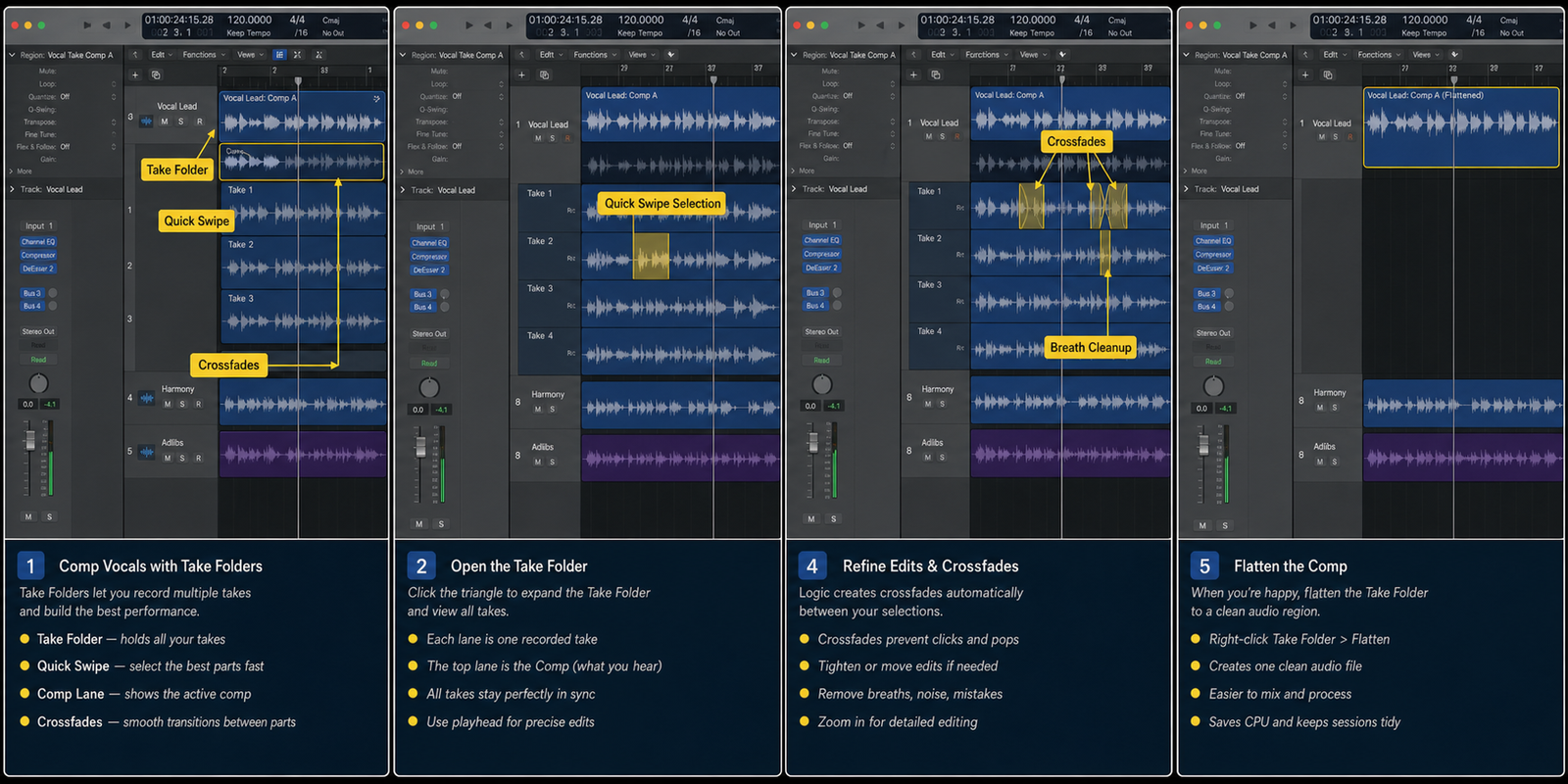
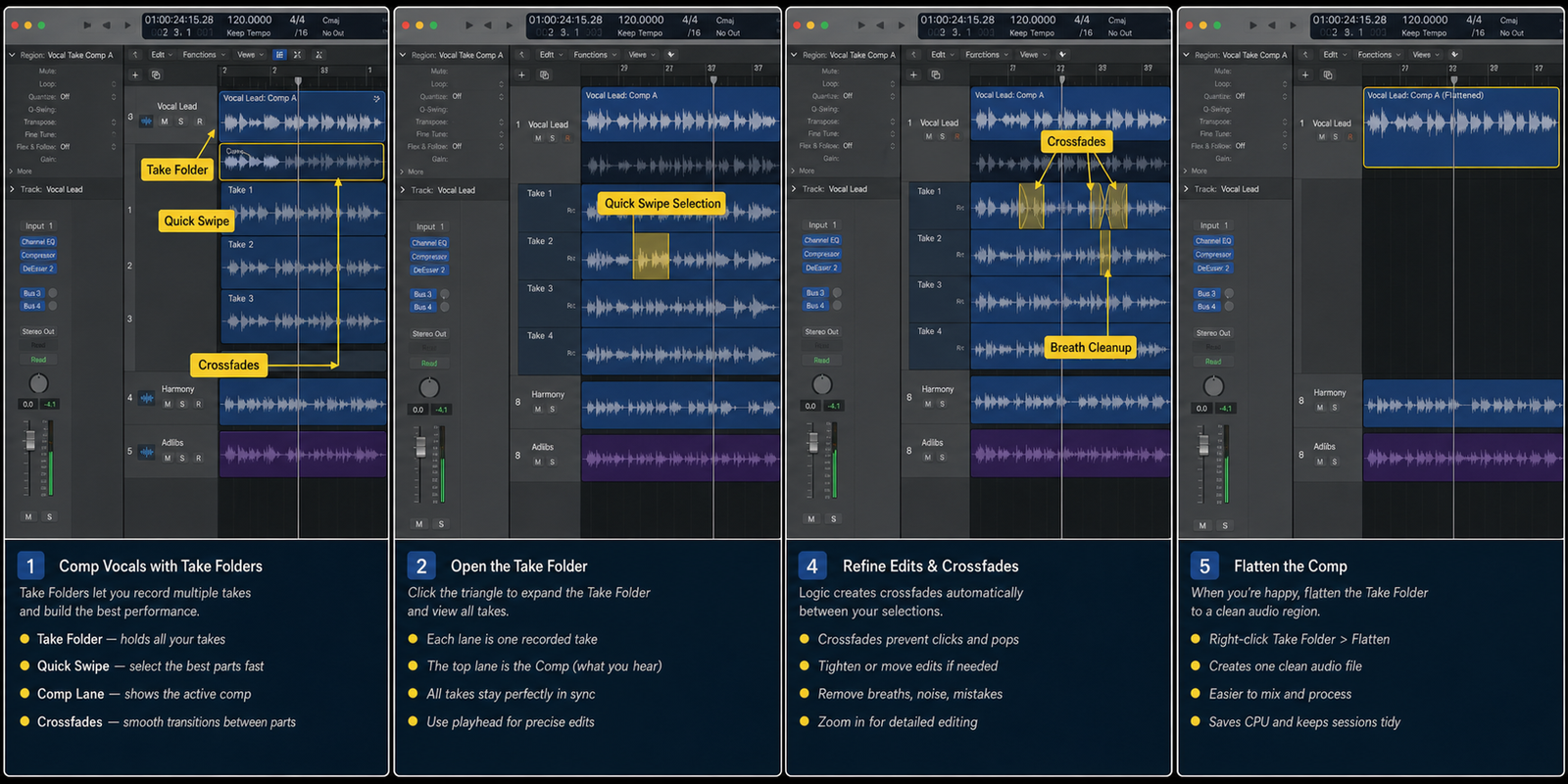
Logic Pro take folders make this fast when you work in the right order: listen through takes, choose phrases, clean boundaries, then flatten only when the comp is stable.
Quick answer
If you are in Logic Pro right now, do not start by opening every menu. Record takes over the same cycle range. Do not delete alternate takes too early. Then move through the four checks below in order.
The order matters because recording work usually breaks earlier than it looks. A wrong track, region, input, bus, or range can make the last setting look guilty when it is only receiving a bad setup.
Use this as the short version before reading the full guide.
- Listen before swiping: Play each take from start to finish.
- Swipe phrase-sized sections: Use Quick Swipe Comping to choose phrases or lines.
- Clean every boundary: After the broad comp works, zoom in and check each transition.
- Flatten after decisions are real: Flattening makes the comp easier to edit and process, but it also makes take changes less immediate.
Before you start
- Record takes over the same cycle range.
- Do not delete alternate takes too early.
- Comp by line or phrase before zooming into words.
- Keep a backup before flattening.
A clean pass from start to finish
Run this as one clean pass, not as disconnected tricks. Begin with the first checkpoint: listen before swiping. Then move to the second: swipe phrase-sized sections. Those two checks make the project readable before you make detailed changes.
After that, use the next two checkpoints as the decision stage: clean every boundary, then flatten after decisions are real. This is where you stop guessing and let the screen show whether the sound, timing, routing, or edit is behaving the way the song needs.
If you change more than one thing at once, write down what you changed or save a new version. Logic Pro is fast enough that a session can go from fixed to confusing in under a minute. Small, named moves are easier to trust later.
1. Listen before swiping
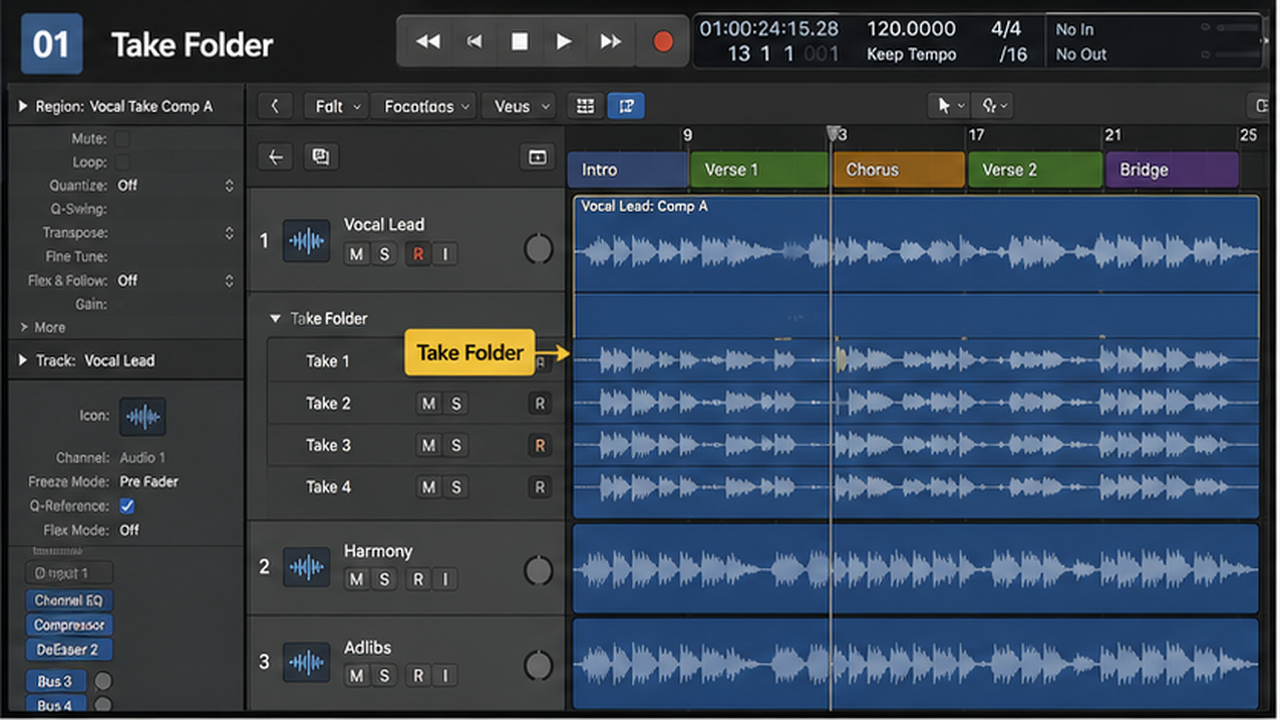
Play each take from start to finish. Mark the takes with the strongest emotion, timing, and tone. Do not start cutting during the first listen.
A technically perfect line with the wrong attitude rarely wins in the final mix.
2. Swipe phrase-sized sections
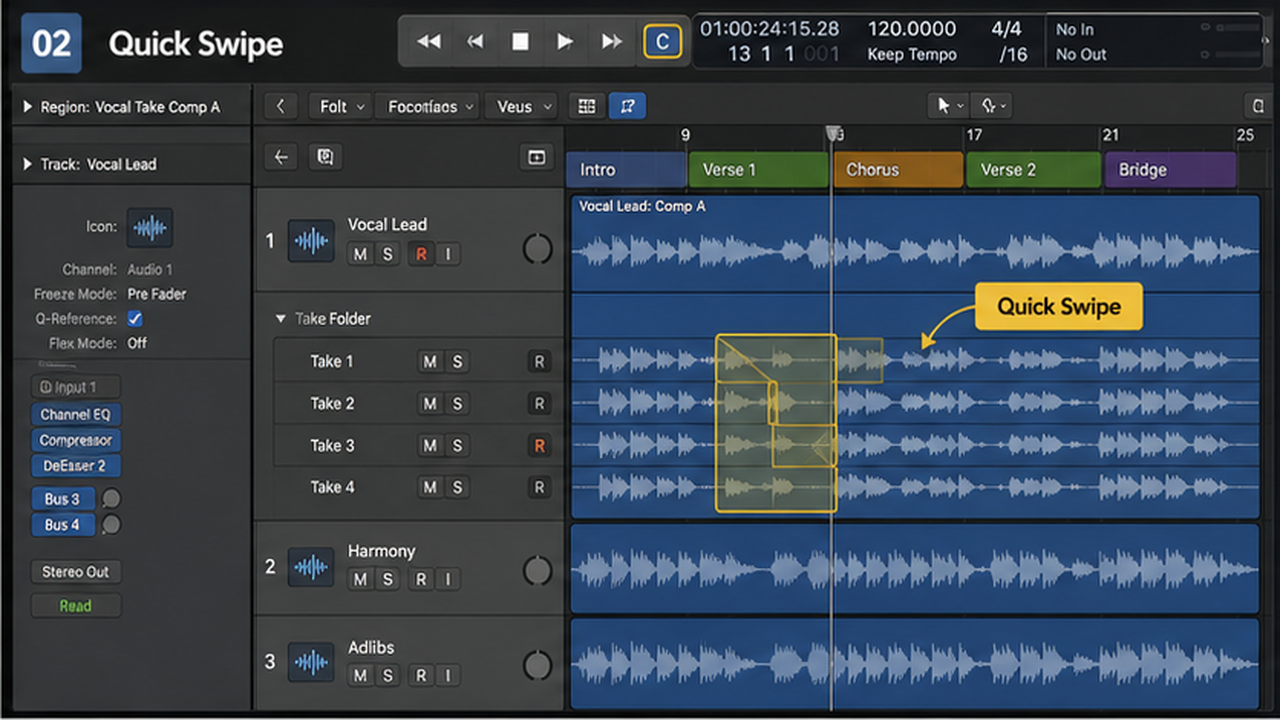
Use Quick Swipe Comping to choose phrases or lines. This keeps the vocal believable because breath, tone, and energy stay connected.
Micro-comping too early creates a vocal made of mismatched fragments.
3. Clean every boundary
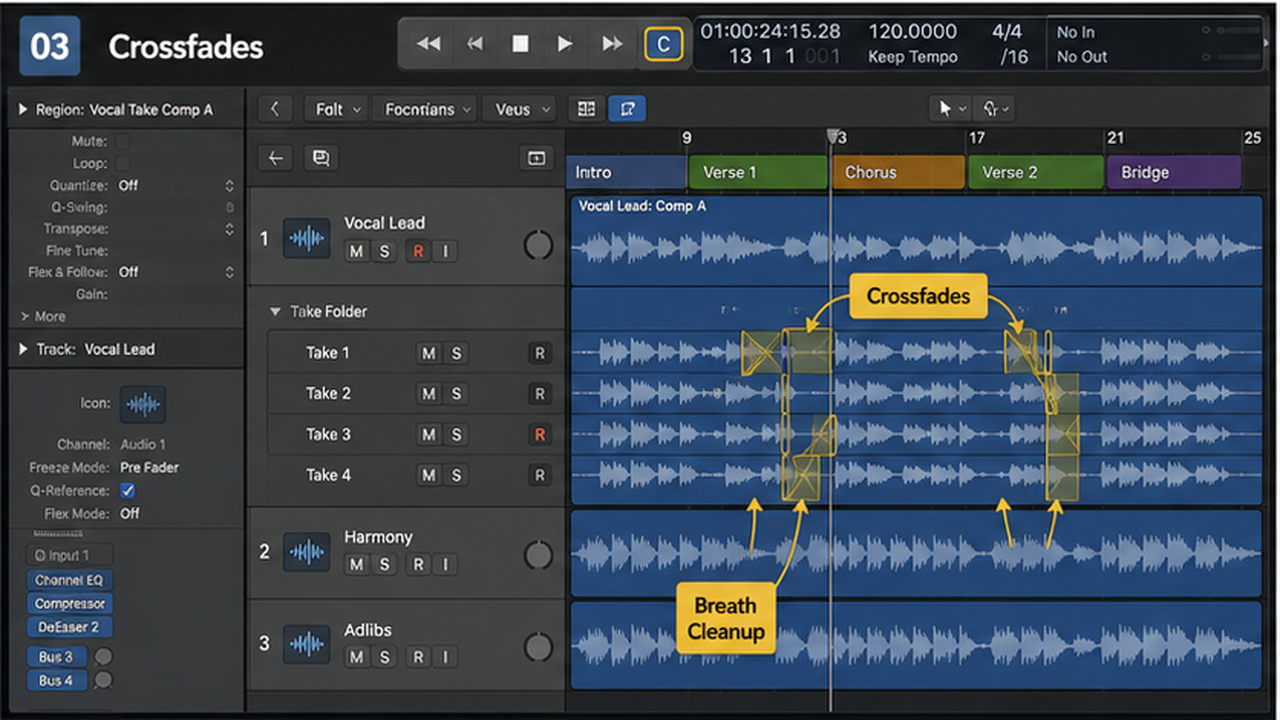
After the broad comp works, zoom in and check each transition. Listen for clicks, cut breaths, swallowed consonants, and ambience jumps.
Short fades can solve small clicks, but the better fix is often choosing a more natural boundary.
4. Flatten after decisions are real
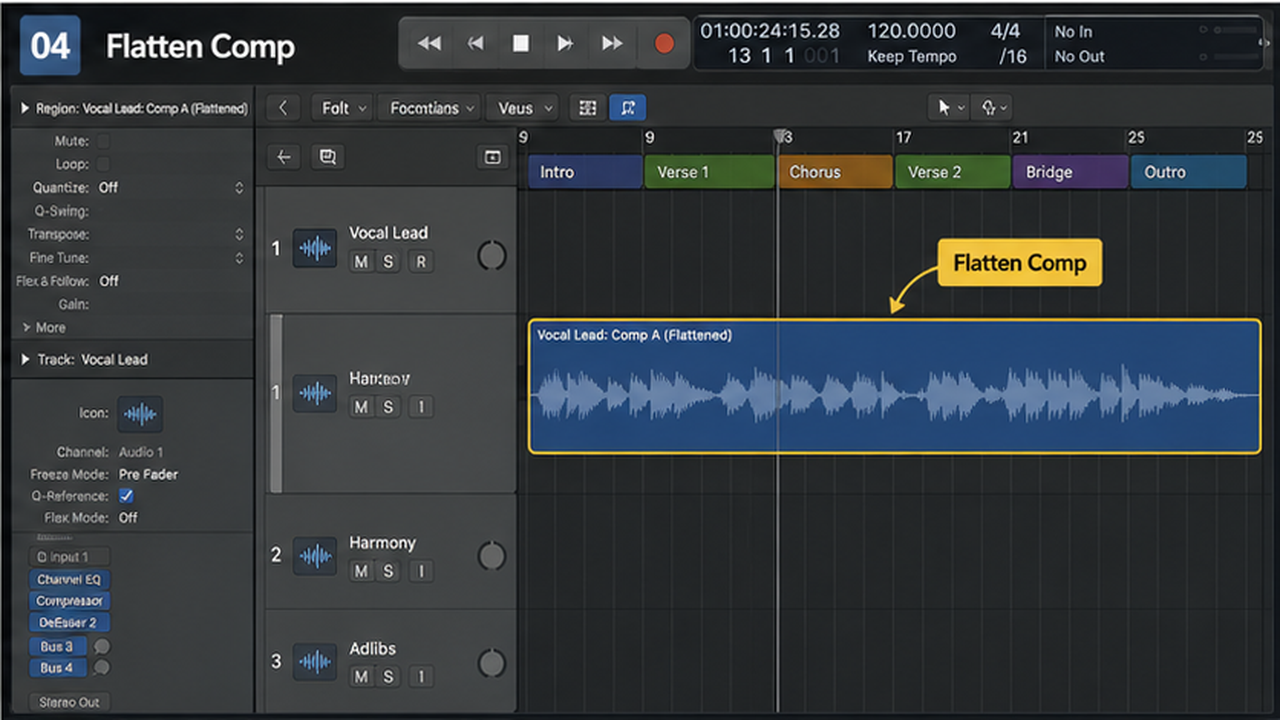
Flattening makes the comp easier to edit and process, but it also makes take changes less immediate. Keep a version with the take folder intact.
Once flattened, tune and process the final comp, not every unused take.
Decision table
| Comp stage | Goal | Avoid |
|---|---|---|
| First listen | Find strongest takes | Editing too soon |
| Quick swipe | Build phrases | Syllable chaos |
| Boundary pass | Remove clicks | Over-fading emotion |
| Flatten | Commit decisions | Deleting the safety copy |
Checkpoint table
| Checkpoint | What should be true | If it is not true |
|---|---|---|
| Listen before swiping | A technically perfect line with the wrong attitude rarely wins in the final mix. | Back up and fix the setup before continuing. |
| Swipe phrase-sized sections | Micro-comping too early creates a vocal made of mismatched fragments. | Do the smaller edit instead of rebuilding the whole part. |
| Clean every boundary | Short fades can solve small clicks, but the better fix is often choosing a more natural boundary. | Check what is selected, then repeat the change deliberately. |
| Flatten after decisions are real | Once flattened, tune and process the final comp, not every unused take. | Use the mixer or playback context as the final judge. |
Before and after check
Before the change, make one short playback pass and name the exact problem in plain words: late entrance, dull vocal, wrong input, harsh consonant, missing output, messy routing, clipped bounce, or whatever the session is actually doing. If you cannot name it, you are not ready to fix it yet.
After the change, play the same section at the same volume. Louder almost always sounds better for ten seconds, so level-match when you are judging recording decisions. The useful question is not whether the edit is impressive. It is whether the part sits better without pulling attention away from the song.
Check the edges of the fix. In Logic Pro, a repair can solve the center of a problem while damaging the bar before it, the breath after it, the bus return, or the export tail. A good before/after pass includes a little lead-in and a little space after the moment you changed.
If the after version only feels better while you are watching the screen, take a break and listen again without touching the mouse. Visual neatness is helpful for editing, but the final test is still playback. Keep the version that makes the project easier to finish.
What not to chase yet
Do not chase polish before the basic workflow is stable. For this topic, the first two checkpoints have to make sense before you worry about the smaller details: listen before swiping, then swipe phrase-sized sections. Fancy settings cannot rescue a confused source.
Do not copy numbers blindly from another session. Buffer sizes, EQ points, quantize strength, compression timing, send levels, and bounce choices all depend on the material. Use examples as starting points, then move the control until this project sounds and behaves correctly.
Do not keep editing because the tool is available. Logic Pro gives you enough control to over-fix almost anything. Stop when the problem is gone and the performance still feels like a performance.
What good looks like
The recording workflow is working when you can explain what changed without pointing at a random plugin window. If the fix depends on luck, the session is not stable yet.
After the main pass, close the editor you were using and play the section from a few bars before the change. A good edit survives context. A bad edit only sounds correct when the screen is zoomed into the problem.
Keep one version before the major change and one version after it. Logic Pro projects can move quickly, and a clean fallback saves more time than trying to reverse a dozen tiny edits later.
If it still feels wrong
If the result still feels wrong, return to the signal chain. Ask whether the source is clean, whether the region edit is correct, whether the track is routed where you think it is, and whether the mixer confirms what your ears are telling you.
Do not add another processor just because the current one did not solve the issue. In Logic Pro, many problems are earlier than the plugin slot: wrong input, messy region boundaries, doubled monitoring, over-quantized MIDI, or a bus that is louder than the dry track.
When you get stuck, simplify the project. Mute everything except the source and the one track or aux it depends on. If the problem disappears, bring the session back one group at a time until the conflict shows itself.
Common mistakes to avoid
- Choosing pitch over emotion every time. Fix it by returning to the first visible control in the chain and confirming it before you touch a plugin.
- Cutting through breaths and consonants. Fix it by listening to the section in context, then changing only the thing that fails the playback test.
- Flattening before the singer approves the take. Fix it by saving a version, making the edit smaller, and checking whether the song still feels natural.
- Tuning unused takes before the comp exists. Fix it by simplifying the session view until the routing, region, or setting is obvious again.
Practice pass
Record three takes of a four-line chorus. Build a comp using no more than one edit per line. Then do one cleanup pass. This teaches restraint, which is the real comping skill.
When to move on
You are done when the change helps the song at normal listening volume. Not when the screen looks tidy, not when every meter behaves perfectly, and not when the analyzer is pretty.
Print or bounce a short reference after the fix. Listening outside the edit screen catches problems that are invisible while you are staring at regions, lanes, and meters.
Sources checked
This draft was checked against current Apple Logic Pro documentation and release notes before writing. Source links used for version-sensitive claims on May 16, 2026:
FAQ
What is a take folder in Logic Pro?
A take folder groups multiple recordings of the same section so you can audition and comp them.
What is Quick Swipe Comping?
Quick Swipe Comping lets you drag across parts of takes to choose the sections used in the comp.
Should I comp vocals before tuning?
Yes. Build the comp first, then tune the final performance.
How do I avoid clicks in a vocal comp?
Check boundaries, use small fades when needed, and avoid cutting through strong consonants or breaths.