How to Use ChromaVerb in Logic Pro
A practical ChromaVerb workflow: fully wet aux routing, room choices, predelay and decay, plus the crucial difference between Damping EQ and Output EQ.

ChromaVerb is Logic Pro’s algorithmic reverb. For a shared reverb return, put it on an aux channel, set Dry to 0% and Wet to 100%, and control how much each track feeds it with a send. Choose the room character first, then fit the decay and predelay to the part.
The control that deserves extra attention is Damping EQ. Its curve changes how long different frequencies linger. Output EQ, in the Details view, changes their level. Knowing which problem you’re solving saves a lot of random knob turning.
Set up ChromaVerb on a reverb aux
I’d start with a shared aux for ordinary vocal or instrument ambience. It keeps the dry track intact and lets several parts share one space. A direct insert is still useful when the effect belongs to one sound or deliberately replaces it.
- Open the Mixer and find the source track. Keep its normal output assignment.
- Click an empty Send slot and choose an unused bus. Logic normally creates a receiving aux; if that bus already feeds a channel, use the existing destination or choose another unused bus.
- On the receiving aux, click an Audio Effect slot and choose Reverb > ChromaVerb. Rename the aux something useful, such as Vocal Room.
- In ChromaVerb’s Main view, set Dry 0%, Wet 100%. Make sure the aux output reaches the intended mix output.
- Play the part and raise the source track’s Send Level from its minimum. Adjust the amount in the arrangement, rather than judging a soloed reverb tail.
With send effects, the source continues along its normal output path while a parallel copy reaches the aux. That’s why this return should carry only reverb. ChromaVerb’s Dry and Wet controls are independent, so a Wet setting of 100% doesn’t automatically turn Dry off.
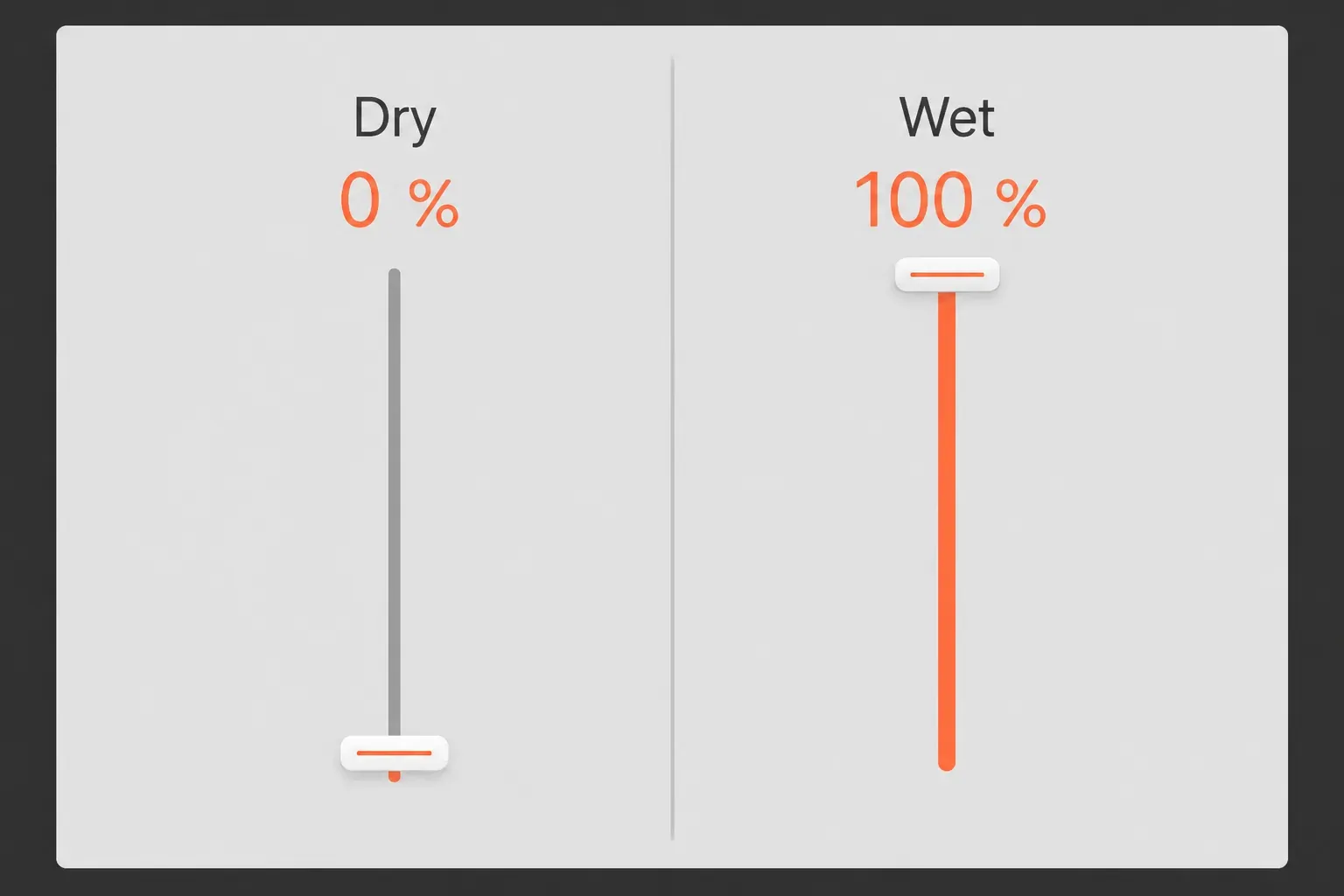
For a direct insert, keep the dry signal unless you mean to replace it, then balance Wet against it. Copying the aux settings onto the source track would remove the dry sound from that plug-in’s output.
Choose the send mode deliberately. Post Pan follows the source fader and pan. Post Fader follows the fader but ignores its pan, and Pre Fader follows neither. For a normal mix return, Post Pan or Post Fader is usually the sensible starting point. Our buses, sends and aux guide covers the wider routing choices.
Choose a room before chasing a preset
ChromaVerb has 14 room-type algorithms. The room selector chooses the underlying space. A plug-in preset also recalls EQ and other adjustments, so comparing two presets doesn’t isolate the room model. Apple distinguishes these in its ChromaVerb setup instructions.
Pick a character that suits the job. These are starting choices based on the documented room characteristics, not instrument-specific rules:
- Room or Chamber: quick, dense reflections for a sense of nearby space. Chamber has a punchy, fast attack.
- Vocal Hall: a smooth medium-to-large hall when a vocal needs a longer surrounding space.
- Concert Hall: slower build-up and reduced high-frequency response for a larger, darker setting.
- Dark Room: darker and less dense when a bright tail competes with the source.
- Digital: a brighter, chorus-like character when an obvious effect is welcome.
Rebalance the return when changing rooms. A louder or brighter option can win the comparison without being the better fit. For a lead vocal, keep the words understandable; the rest of the processing belongs in the stock-plug-in vocal mixing workflow.
Fit predelay, attack and decay to the phrase
Predelay is the gap between the source onset and the first early reflections. Increase it when the reverb crowds the beginning of a word or note, then back off if the separation starts sounding like a distinct echo. There is no single correct millisecond value for every vocal.
Attack controls how the reverb builds. Depending on the room type, it changes either the volume build-up or the time taken to reach the chosen reflection density. It isn’t another name for predelay. Apple’s Main view parameter definitions explain that distinction and the room-dependent behavior.
Decay controls the tail, with frequency-specific timing also shaped by Damping EQ. Listen to the spaces between phrases. If the previous line keeps clouding the next one, shorten the tail or reduce the send before adding more processing.
The musical-note buttons beside Predelay and Decay restrict their values to tempo-synchronized divisions. Sync can help place an effect rhythmically, but a neat division doesn’t guarantee a clean mix. Judge where the reflections and tail land against the part.
Use Size for the room’s dimensions and Density for the reflection density. Distance alters early and late energy to change the perceived source distance. These interact with the room algorithm. Turning every control up is a poor shortcut to a larger space.
Use Damping EQ when one frequency range hangs around
If the low end keeps blooming after the note, or the high end rings too long, the problem may be decay behavior rather than simple loudness. In Main view, Damping EQ offers a low shelf, two parametric bands and a high shelf.
Select a band and look at Ratio. It sets that band’s decay-time ratio. Below 1×, the affected range fades faster relative to the Decay setting. Above 1×, it persists longer. Frequency chooses the range and Q controls its width.
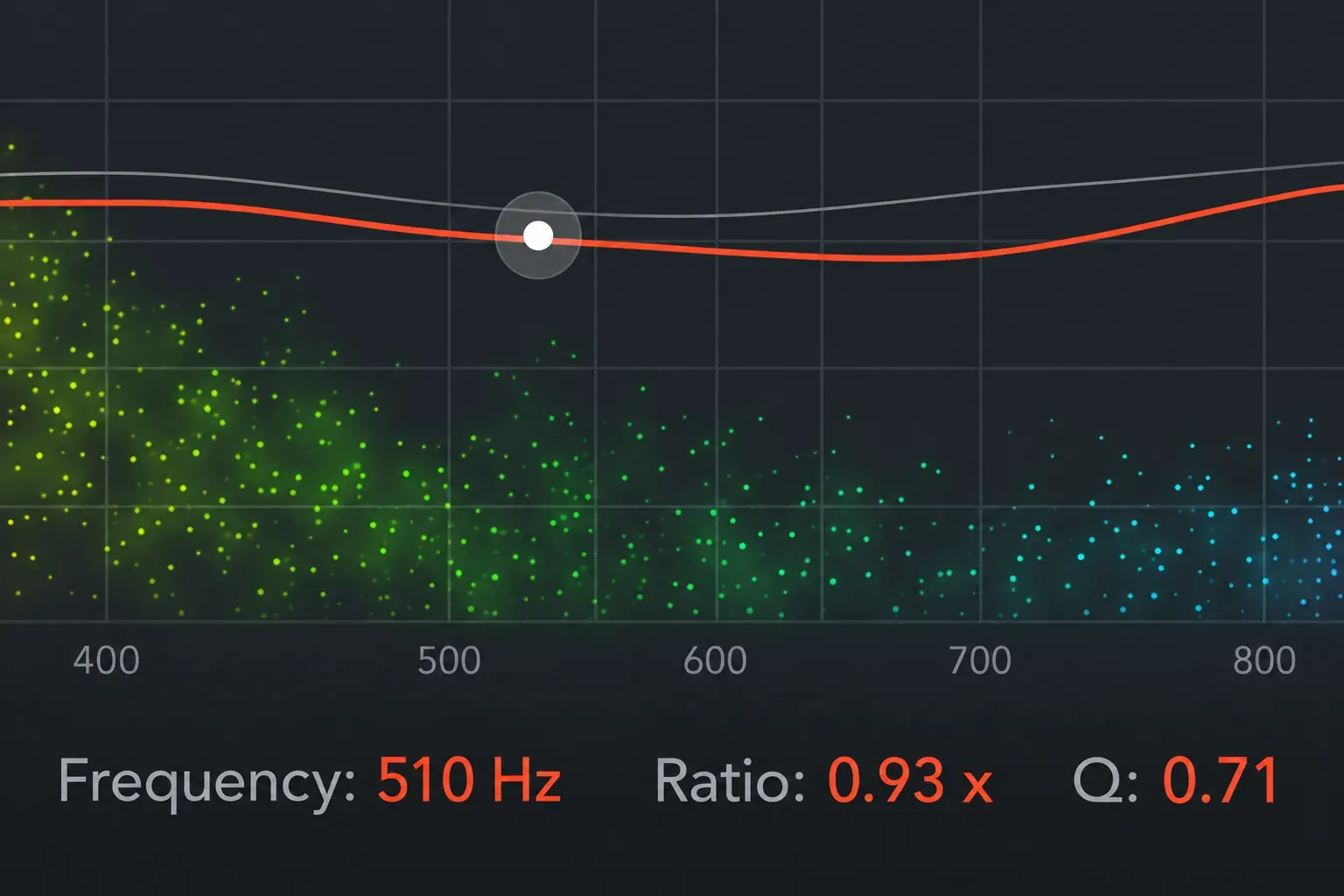
Drag a band horizontally to change frequency and vertically to change its ratio. Hold Option-Command and drag vertically to adjust Q. Option-click resets the band. The 510 Hz and 0.93× values shown here only demonstrate the fields. They aren’t an ideal setting for a particular recording.
I’d reduce the ratio in the troublesome range gradually, listening after the source stops. A shorter low-frequency tail can be useful even when the reverb’s initial tone is fine. If the entire tail is too long, return to Decay instead of trying to reshape every band.
Use Output EQ for the return’s tone
Click Details to reach the six-band Output EQ. It has highpass and lowpass filters, two shelves and two parametric bands. A bell’s Gain changes level in dB. It doesn’t use the Damping EQ timing ratio.
One routing condition matters here: Output EQ processes the combined reverb and source signal. On a Dry 0% aux, that means the wet return. On an insert with Dry above zero, the dry component is affected too.
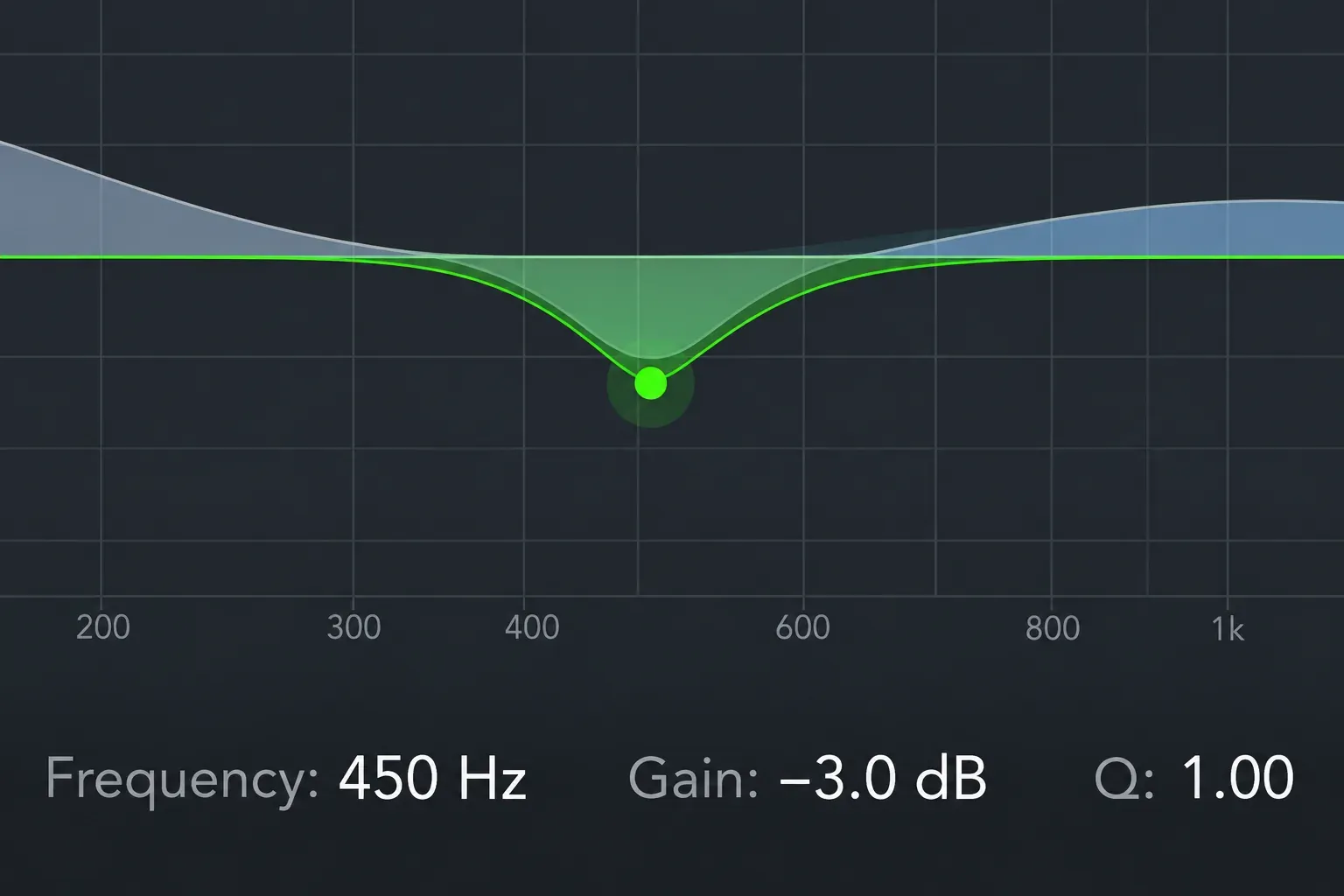
Use the highpass filter when unnecessary low-frequency energy makes the return muddy. Use the lowpass or high shelf when its brightness distracts from the source. Choose the cutoff by listening in context. A fixed internet setting can remove the body you wanted. The 450 Hz cut pictured above is an example of the Gain control. Don’t read it as a recommended preset.
If you want to EQ the dry track separately, do that on the source channel. The Channel EQ guide explains those filter decisions without tying them to reverb timing.
Adjust width and modulation for a specific reason
Details also holds Quality, modulation, Early/Late Mix, Width and Mono Maker. Apple describes Low quality as grainy with noisy modulation, High as clean, and Ultra as smoother. Choose the character you need. These descriptions aren’t a CPU benchmark.
Mod Speed changes the LFO rate. Mod Depth changes its amount, with the available range depending on the room. Smoothing changes the modulation waveform’s shape. Add movement deliberately, then check that sustained notes do not become distracting.
Width controls the stereo spread. Mono Maker removes stereo information below its chosen frequency. It does not remove the bass itself. Use Output EQ’s highpass if low-frequency level is the problem. Early/Late Mix changes the balance of reflections, whose behavior also depends on Distance.
Fix the symptom before changing the sound
- No reverb: confirm the send level, matching bus and aux input, plug-in bypass, aux fader and output path. Shift-clicking the Send slot makes its receiving aux flash, which helps locate the destination.
- The track gets louder but barely wetter: check that Dry is actually 0% on the return. Otherwise the aux adds another dry contribution alongside the source.
- Words lose their edges: reduce the send, shorten Decay, then adjust Predelay. A room change may help more than a complicated EQ curve.
- The tail continues indefinitely: check Freeze. That button recirculates the signal inside the room indefinitely; it is a creative reverb effect, not the track-freezing function used to manage processing.
- The particle display is blank: check the visualization toggle. Apple notes that the display requires Metal support. A missing visualization alone does not establish that the aux has no audio.
ChromaVerb earns its place when you want to shape an algorithmic space directly. If your task is choosing a recorded impulse response, Space Designer combines the source with an IR instead. Set the routing first, make one purposeful change at a time, and use the Mix & Master guides for the surrounding mix decisions.


