GarageBand for Android: What to Use Instead
No official GarageBand APK exists. Pick an Android music app by the job you need, with saving, export, trial and project-transfer limits explained before you start.

There’s no official GarageBand app for Android. Apple offers GarageBand for Mac, iPhone and iPad; an Android download with that name is a different product. For an Android phone, I’d start with BandLab for a free vocal-and-loop project, then choose FL Studio Mobile for beat programming or Audio Evolution Mobile for multitrack recording.
The useful choice is which part of GarageBand you need: a quick recorder, playable instruments, a beat sequencer or a way to continue an existing song. You can replace those jobs on Android. Moving an editable GarageBand project is a separate problem.
Can you download GarageBand on Android?
No. Apple’s GarageBand for Mac page and iPhone and iPad App Store listing are the official routes. Neither provides an Android version. That includes Samsung Galaxy phones and Android tablets.
A familiar name or icon doesn’t establish who made an app. For example, the Google Play listing for GarageBand: Studio App Hints explicitly says it’s an independent guide that cannot record audio, create music projects or edit tracks. It isn’t Apple’s music app.
A “GarageBand APK” is therefore not an official Android edition of GarageBand. Don’t disable your phone’s security checks to install one, pay to “activate” it or enter your Apple Account credentials into it. Choose a music app from its developer’s official site or store link. A download page’s star rating doesn’t change its publisher.
Choose the Android app by the part you want to replace
For a first project, the trade-offs below matter more than a long list of instruments. None of these choices turns your phone into GarageBand or promises that an existing GarageBand session will open.
| Your main job | Start with | Check before committing |
|---|---|---|
| Record a vocal, layer loops and continue in a browser | BandLab | Free core Studio; saving needs internet. Android and browser export options differ. |
| Record guitar or bass with amp and effect sounds | Fender Studio | Free recording app; extra amps and track capacity have optional upgrades. Check your phone and interface together. |
| Program drums, edit notes and automate a beat | FL Studio Mobile | Paid app with optional content and services. A desktop FL Studio license is a separate purchase. |
| Build an audio-and-MIDI arrangement with mixer automation | Audio Evolution Mobile Studio | Paid app; the trial cannot save or mix down. Its custom USB audio driver is an optional purchase. |
BandLab: the free starting point for a song
BandLab’s Studio combines audio tracks, virtual instruments and a sound library on mobile and in a browser. That fits the beginner who wants a drum loop, a few instrument parts and a vocal in one project.
Keep an internet connection available. BandLab lets you start a new project offline, but its offline instructions require internet to save, publish or download instruments and sounds. Don’t plan an offline recording trip around an unsaved cloud project.
There’s also an export difference worth knowing before you start. BandLab’s format table lists WAV mixdown on the web, while Android’s mixdown options include M4A. If someone needs a WAV, plan to open the project in the web Studio for that export.
Fender Studio: guitar parts and simple recordings
Fender Studio is a free recording app for Android and other platforms, with amp models, effects and audio editing. It’s a useful direction if GarageBand’s guitar recorder and amp sounds were the attraction.
Keep the product names separate: Fender Studio is the mobile-capable recording app discussed here. Fender Studio Pro is the desktop DAW. For a guitar, confirm your phone, cable and interface combination before buying hardware; a USB-C connector alone doesn’t establish audio compatibility.
FL Studio Mobile: a beat and note editor
FL Studio Mobile provides a Piano Roll, instruments, effects, audio recording and automation. Pick it when editing notes and arranging patterns is the part you want to spend time on. It can export audio, including WAV, and its current project export can continue work in FL Studio Desktop.
The mobile app and desktop DAW have separate licenses. The FL Studio Mobile manual explains its purchases and platform versions; check the store price and any optional sound packs before paying. An FL Cloud sound-library plan is optional, not a requirement for the app’s included free sounds.
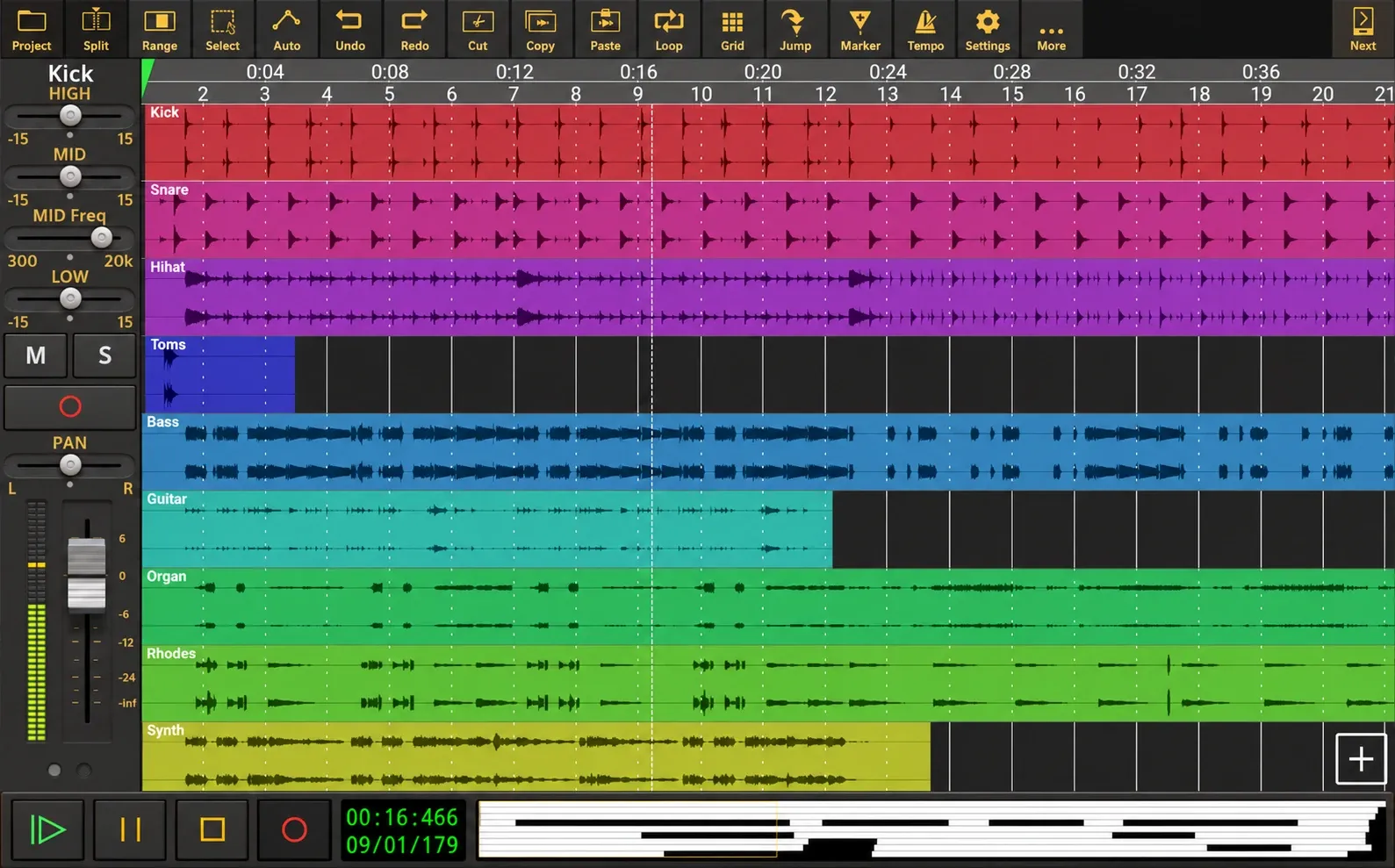
Audio Evolution Mobile: recording and detailed arranging
Audio Evolution Mobile Studio supports multitrack audio and MIDI, a drum editor, mixer automation and audio-file export. It suits a song built from recorded parts when you want more control over editing and routing.
Use its separate trial to check your device before buying: it limits playback and recording to two minutes and disables project loading, saving and mixdown. Don’t record a take you need to keep in that trial.
The custom eXtream USB audio driver is a separate in-app purchase, with a way to try compatibility before paying. The app can also use Android’s driver where it works. Don’t assume an interface that works on a Mac will work identically on your phone.
Get a first recording into BandLab
Start with a short part, then save it before building the arrangement. This keeps the first decision small: can you record, play back and keep the song on the device you have?
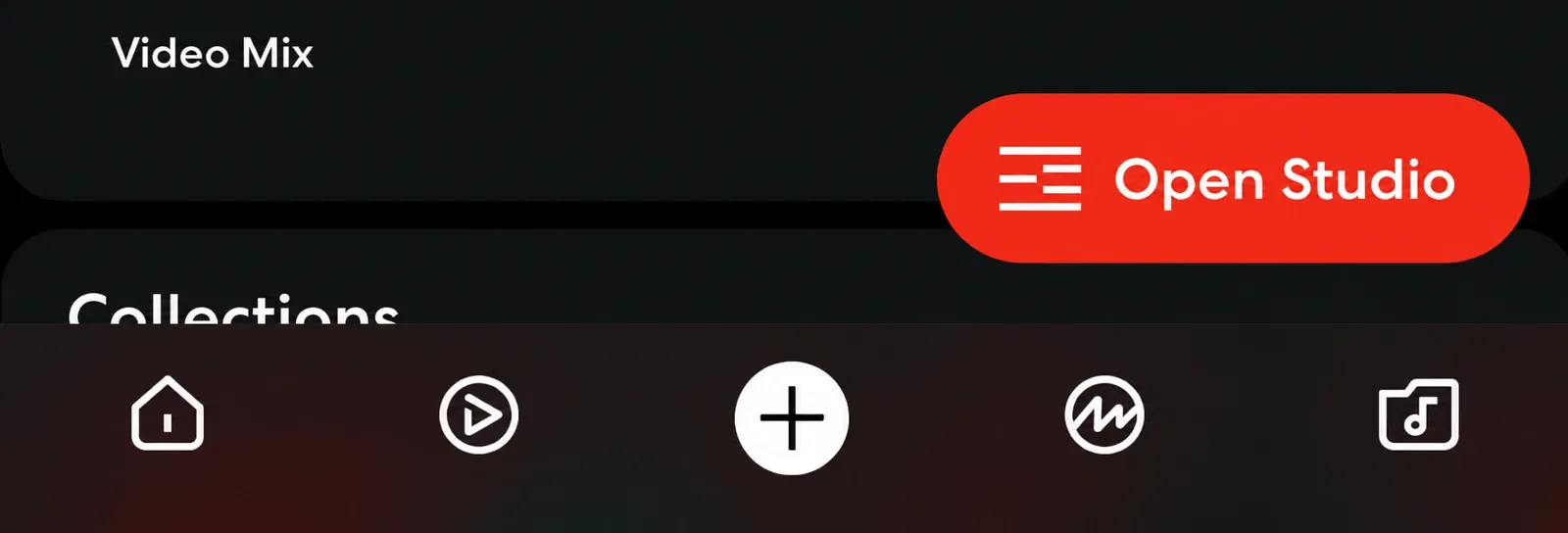
- Get BandLab through its official download page and sign in. In the app, go to Create > Open Studio.
- Choose a Voice/Audio track for a vocal or an Instrument track for a played part. These are the track types in BandLab’s Studio instructions.
- Allow microphone access if you’re recording your voice. Record a short phrase and play it back before adding more parts.
- Save while connected to the internet, then reopen the project to confirm you can continue it. Recording audio and saving the project are separate steps.
- When you need to send the song, export an audio mix. Use the web Studio if the recipient requires WAV.
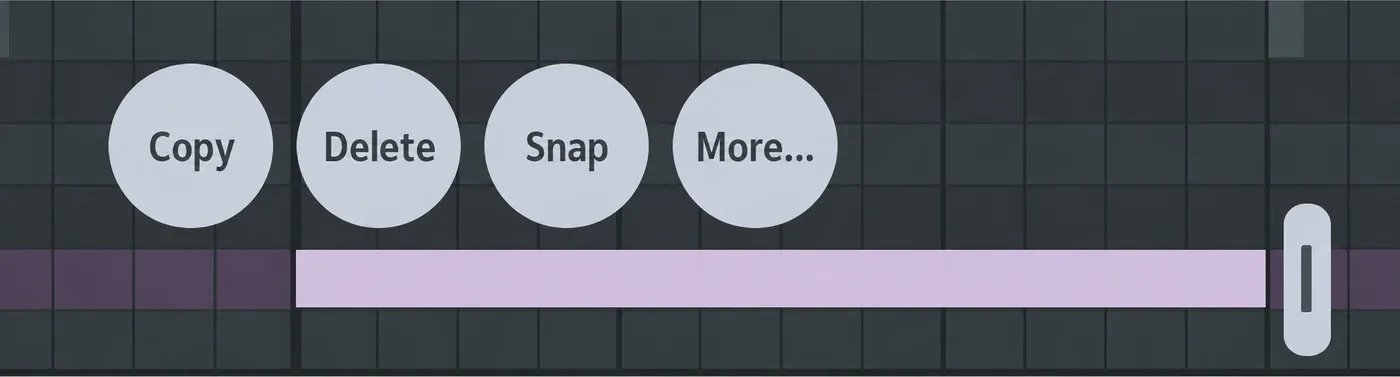
If the point is to keep working without internet, sort out local saving and export in your chosen app before the session. BandLab’s offline limits make it the wrong default for that job.
Already have a GarageBand song? Bring the audio across
A GarageBand project and a finished audio file do different jobs. The project keeps editable instruments, regions and effects. An exported mix contains the resulting sound. The Android apps above provide audio import workflows, not GarageBand project conversion.
On an iPhone, Apple’s sharing instructions distinguish Song from Project. In My Songs, touch and hold the song, choose Share > Song, select the audio quality, then share the exported file through a service you can access on Android. Choosing Project sends the editable GarageBand session and doesn’t solve the Android import problem.
BandLab’s Android importer accepts WAV, MP3 and M4A audio. Import the exported song as a backing track and record new parts above it. You can adjust that audio clip, but you won’t recover the original GarageBand instrument notes or individual effects from a stereo mix.
If you need separate control over vocals, drums and instruments, ask the person with the original project for separate audio tracks with the same start point. Audition the files together before recording over them: trimming silence independently can change where parts line up. Keep the original GarageBand project backed up on the Apple device.
For a PC, use the separate GarageBand for Windows alternatives. If you can keep working on a Mac, the GarageBand beginner walkthrough follows the native project through recording and export. Moving to Logic Pro from GarageBand is another Apple-platform route when the editable session matters.
Make the first choice before downloading
My default is BandLab for a free first song because its mobile and browser workflow gives you a place to record and continue arranging. Choose FL Studio Mobile when note editing and beats drive the project, Fender Studio for guitar recording, or Audio Evolution Mobile when detailed recording and local export matter more. Get one short part saved and reopened before moving the rest of your music.


