Best MIDI Keyboard for Beginners: 6 Picks for Mac and Logic Pro
Six beginner MIDI keyboards scored from published reviews and buyer ratings: the Akai MPK Mini IV for most people, the Nektar SE49 for two-hand playing and the Korg microKEY Air for iPhone and iPad.

The best MIDI keyboard for most beginners is the Akai MPK Mini IV, listed at $92 new in US dollars. It fits 25 mini keys, eight pads, eight knobs and real pitch and mod wheels into a 1 kg box, and it has its own Logic Pro script. If you want to play chords and melody with both hands on full-size keys, Gearank lists the 49-key Nektar SE49 at a street price of about $85.
I compared six current keyboards on the things that trip up first buyers: price, key size, pads, a sustain pedal jack, Logic and GarageBand support, and use with an iPhone or iPad. The scores come from published reviews at MusicTech, SoundGuys, MusicRadar and others, plus buyer ratings, and the specs come from each maker’s pages and manuals. Compare the delivered price before buying: shipping, tax and import charges can change the order.
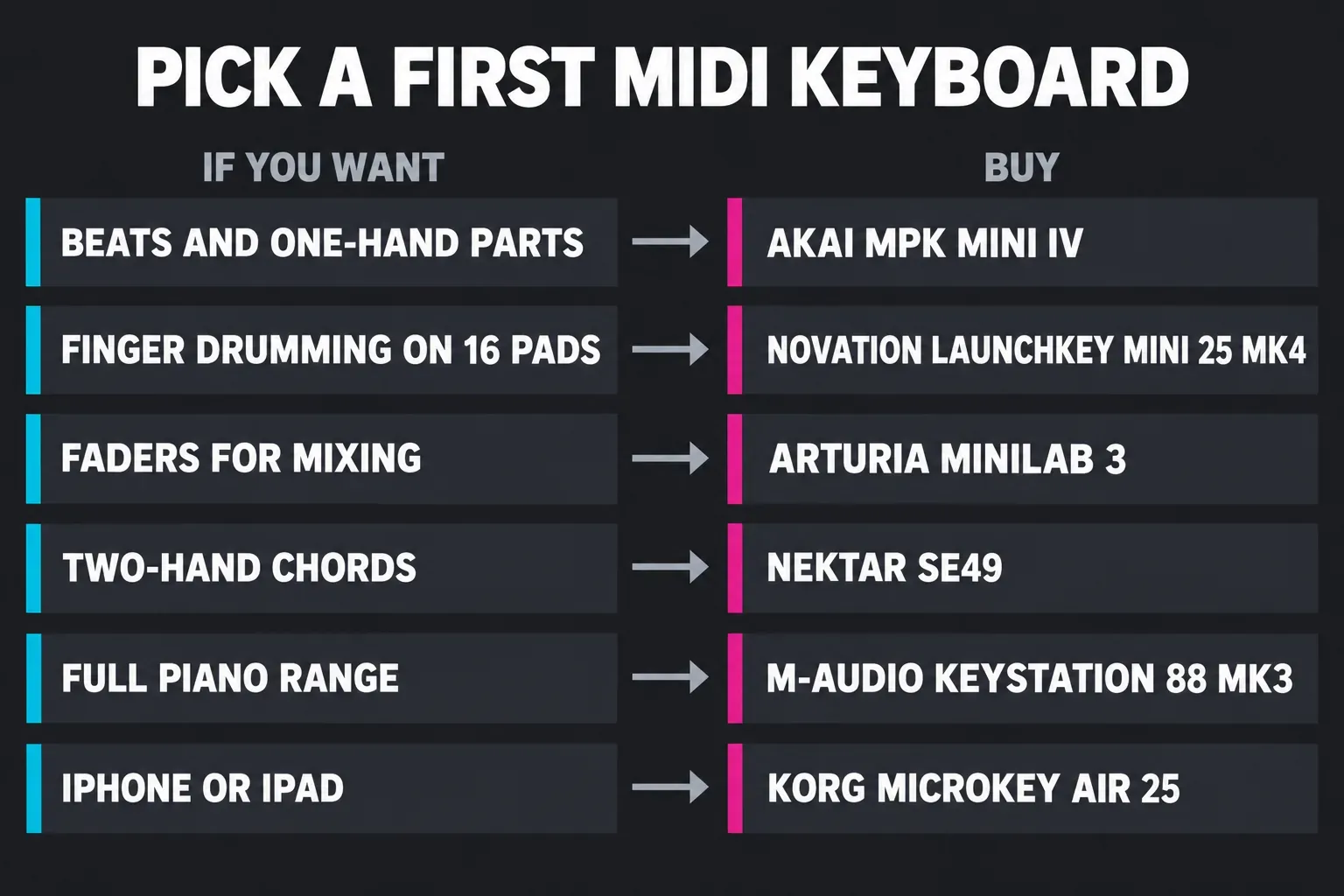
Which MIDI keyboard should a beginner buy?
Decide what you’ll play first. Beats, bass lines and one-hand melodies fit 25 mini keys. For a chord in the left hand and a tune in the right, I’d start with 49 full-size keys. Choose 88 when you want the full piano range without octave shifts. Pads matter if you want to tap out drums, and a sustain pedal jack matters as soon as you play piano parts.
| Keyboard | USD price guide | Keys | Pads | Sustain pedal | Logic support | Best for |
|---|---|---|---|---|---|---|
| Akai MPK Mini IV | $92 | 25 mini | 8 | 1/4" input | Akai Logic script | Most beginners, beats and sketches |
| Novation Launchkey Mini 25 MK4 | $103 | 25 mini | 16 | 1/4" input | Novation Logic script | Finger drumming on 16 pads |
| Arturia MiniLab 3 | $83 | 25 slim | 8 | Control Input for sustain or expression | Arturia Logic script | Faders for mixing without the mouse |
| Nektar SE49 | about $85 street price | 49 full-size | None | 1/4" foot switch input | Nektar DAW Integration, after registration | Two-hand playing for the least money |
| M-Audio Keystation 88 MK3 | $179 | 88 full-size, semi-weighted | None | Sustain and expression inputs | Transport buttons on their own port | Piano range on a budget |
| Korg microKEY Air 25 | $83 | 25 mini | None | Sustain button, no jack | Notes, joystick and arpeggiator | Bluetooth, GarageBand on iPhone or iPad |
The linked new-unit prices are Thomann’s US-dollar listings; the listed product price is not a delivered US total. The SE49 figure is Gearank’s street-price guide, rather than a verified in-stock offer. Novation and Arturia also sell directly at different prices. Specs come from maker pages and manuals; the SE49’s registration steps come from Nektar’s product description supplied to retailers.
How do critics and buyers rate them?
I put published editorial scores on one 10-point scale, so 4.5 stars counts as 9.0. The MPK and MiniLab each have four scored reviews here; the 25-key Launchkey has three. Its 37-key sibling’s score is excluded from that median. These are review verdicts from different test setups, so use the numbers alongside the features and each reviewer’s reasons.
| Keyboard | Critic scores (out of 10) | Median | Range | Buyer rating |
|---|---|---|---|---|
| Arturia MiniLab 3 | MusicTech 8 (MiniLab), Audio News Room 8.5, MusicRadar 9.0, HigherHz 9.6 | 8.75 (4 reviews) | 8 to 9.6 | 4.8 of 5 from 180 buyers |
| Novation Launchkey Mini MK4 | MusicTech 8 (Launchkey), MusicRadar 9.0, Keyboard Krush 9.0 | 9.0 (3 reviews) | 8 to 9 | 4.9 of 5 from 23 buyers |
| Akai MPK Mini IV | Audiofanzine 8, SoundGuys 8.1, MusicRadar 9.0, Muzique 9.4 | 8.55 (4 reviews) | 8 to 9.4 | 4.7 of 5 from 27 buyers |
| Nektar SE49 | Audio Mentor 9.0, as listed by Gearank | 9.0 (1 review) | one score | Gearank 92 of 100 from 1,350+ ratings and reviews |
| Korg microKEY Air 25 | MusicRadar 8.0 | 8.0 (1 review) | one score | 4.1 of 5 from 23 buyers |
| M-Audio Keystation 88 MK3 | MusicTech 7 | 7.0 (1 review) | one score | 4.6 of 5 from 111 buyers |
Buyer ratings are Thomann customer scores, except for the SE49, where Gearank’s aggregate covers store ratings and reviews together. The Launchkey’s critic median is 9.0 from three 25-key reviews, against 8.75 for the MiniLab and 8.55 for the MPK from four reviews each. Features should decide between these compact keyboards. Thomann shows 4.9 of 5 from 23 ratings for the Launchkey Mini 25, while the MiniLab has a much larger buyer sample. The single-review scores carry less weight. MusicTech’s 7 for the Keystation comes from its 2021 review, which lists missing aftertouch as a con.
Akai MPK Mini IV: the best MIDI keyboard for most beginners
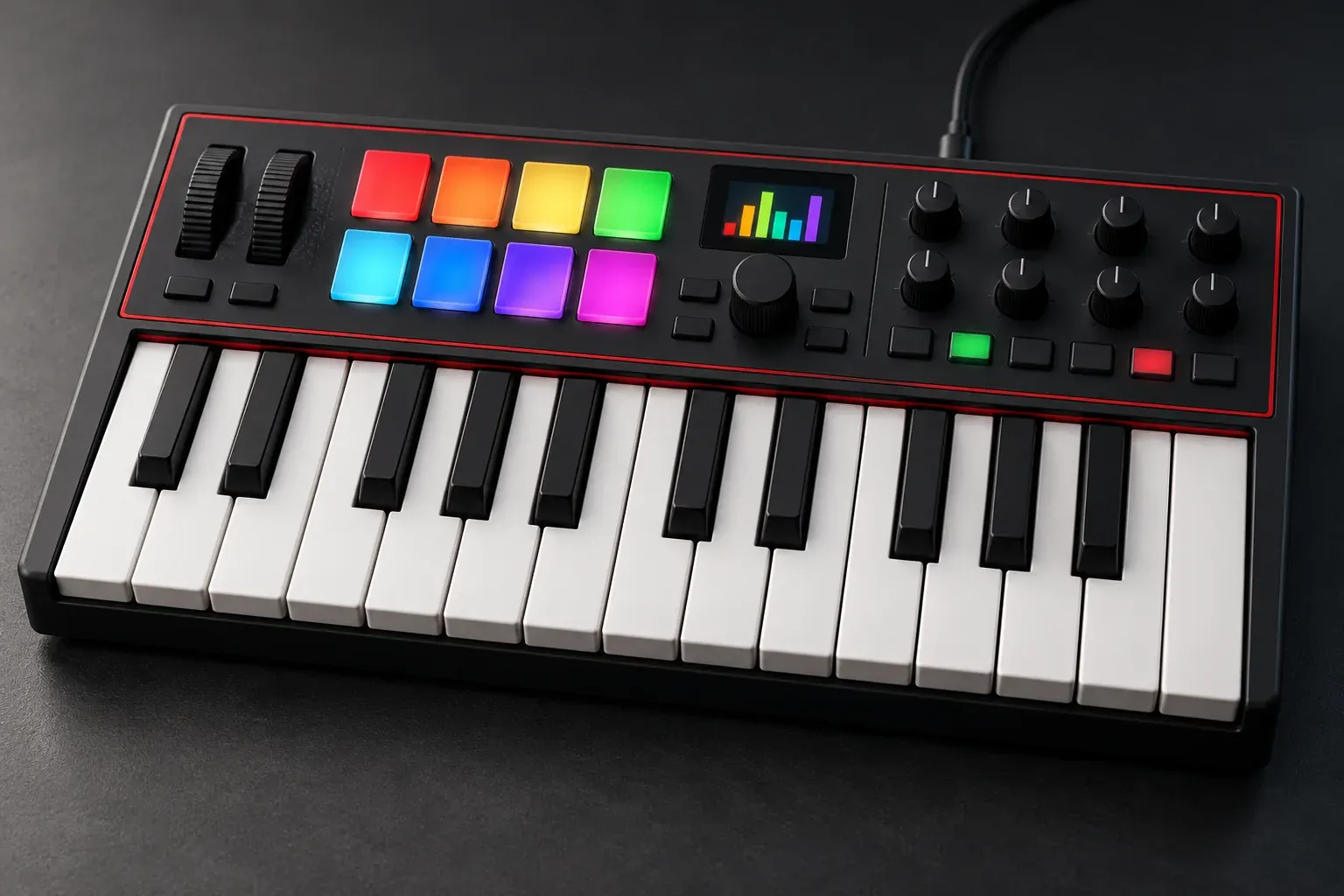
Thomann lists the MPK Mini IV at $92 new. Akai’s MPK Mini IV user guide lists 25 velocity-sensitive keys with octave buttons, eight velocity- and pressure-sensitive RGB pads, eight assignable 360° knobs plus a push encoder, pitch bend and mod wheels and a 0.96" color screen. The keys can also play whole chords or stay inside a scale in Chords and Scales modes. The same guide lists a USB-C port that carries bus power, a 5-pin MIDI out and a 1/4" TS sustain input. It gives the weight as 1 kg, and the box holds the keyboard, a USB-C cable and a quickstart guide.
The MPK combines pads, physical wheels and a Logic script at a compact-controller price. Akai’s Logic Pro setup guide has you choose Logic Pro > Control Surfaces > Setup…, select the MPK mini IV and set both ports to MPK mini IV DAW Port, then tick MPK mini IV in the MIDI Controllers tab under Control Surfaces > Settings… Akai also lists scripts for GarageBand, Ableton Live, FL Studio and Cubase. In its MPK Mini IV review, SoundGuys scored it 8.1 and liked the pitch and mod wheels and the USB-C plus 5-pin MIDI. On the downside it lists the mini keys, the setup time and the plastic build. MusicRadar’s beginner guide calls it “the best choice for most beginner music makers”.
The limits are physical: two octaves of mini keys and no faders. For beats, bass lines and quick melody ideas, it’s the one I’d buy first, because it covers all three and the physical wheels give pitch and modulation their own controls. Our MPK Mini IV notes for Logic go deeper into the firmware and port setup.
Novation Launchkey Mini 25 MK4: best for finger drumming
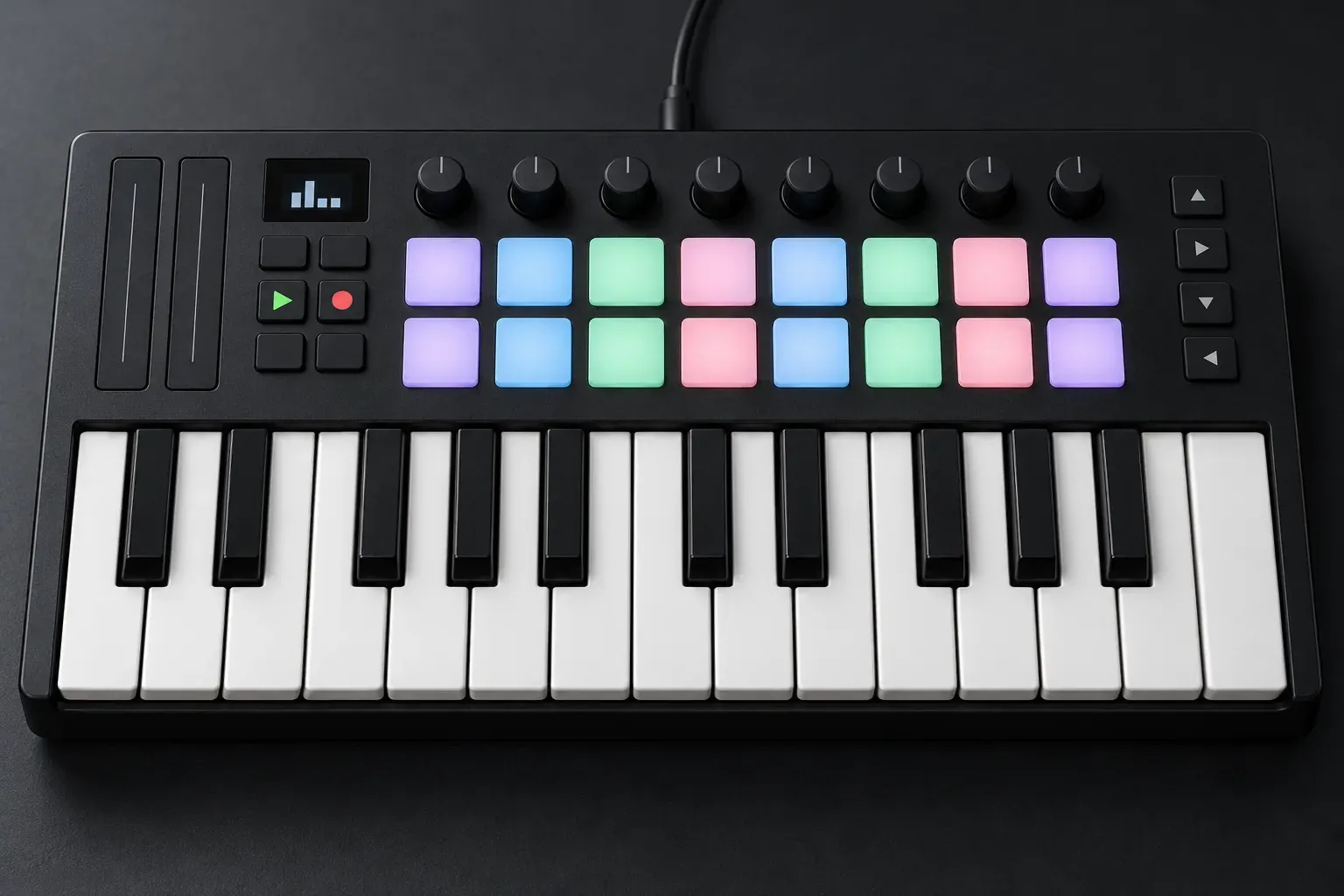
The Launchkey Mini 25 costs $129.99 on Novation’s US store; Thomann’s new 25-key listing is $103 before destination charges. It has 25 mini keys, 16 velocity-sensitive pads with polyphonic aftertouch, eight endless encoders, a 128 x 64 OLED display and an arpeggiator. Chord and Scale modes work with the display to keep what you play in key. Novation lists custom DAW scripts for Logic, and the rear panel has USB-C, a 3.5 mm MIDI out and a 1/4" sustain pedal jack. It weighs 0.78 kg and runs on USB power.
MusicTech’s Launchkey Mini 25 MK4 review gave it 8 and notes that it’s class-compliant, so it needs no driver on macOS. It also calls the full-size sustain input “impressive on a keyboard this small”. SoundGuys tested the 37-key version, scored it 8.2 and liked the “helpful chord and scale modes”, while warning about a learning curve and small, unweighted keys. One review gets a spec wrong: Keyboard Krush lists “no sustain pedal input” as a con. Novation’s spec sheet and MusicTech both list the 1/4" jack, so ignore that complaint.
The MPK has chord and scale modes too, so the reason to pay more for the Launchkey is its 16 pads. They give you a whole drum kit under your fingers without switching banks. At 0.78 kg it is lighter than the MPK and MiniLab, though the 0.67 kg Korg is lighter still. If beats start on the pads for you, I’d buy the Launchkey. If you’d rather keep chord help in Logic itself, its Chord Trigger MIDI FX maps one key to a whole chord on any keyboard.
Arturia MiniLab 3: faders for mixing as you go
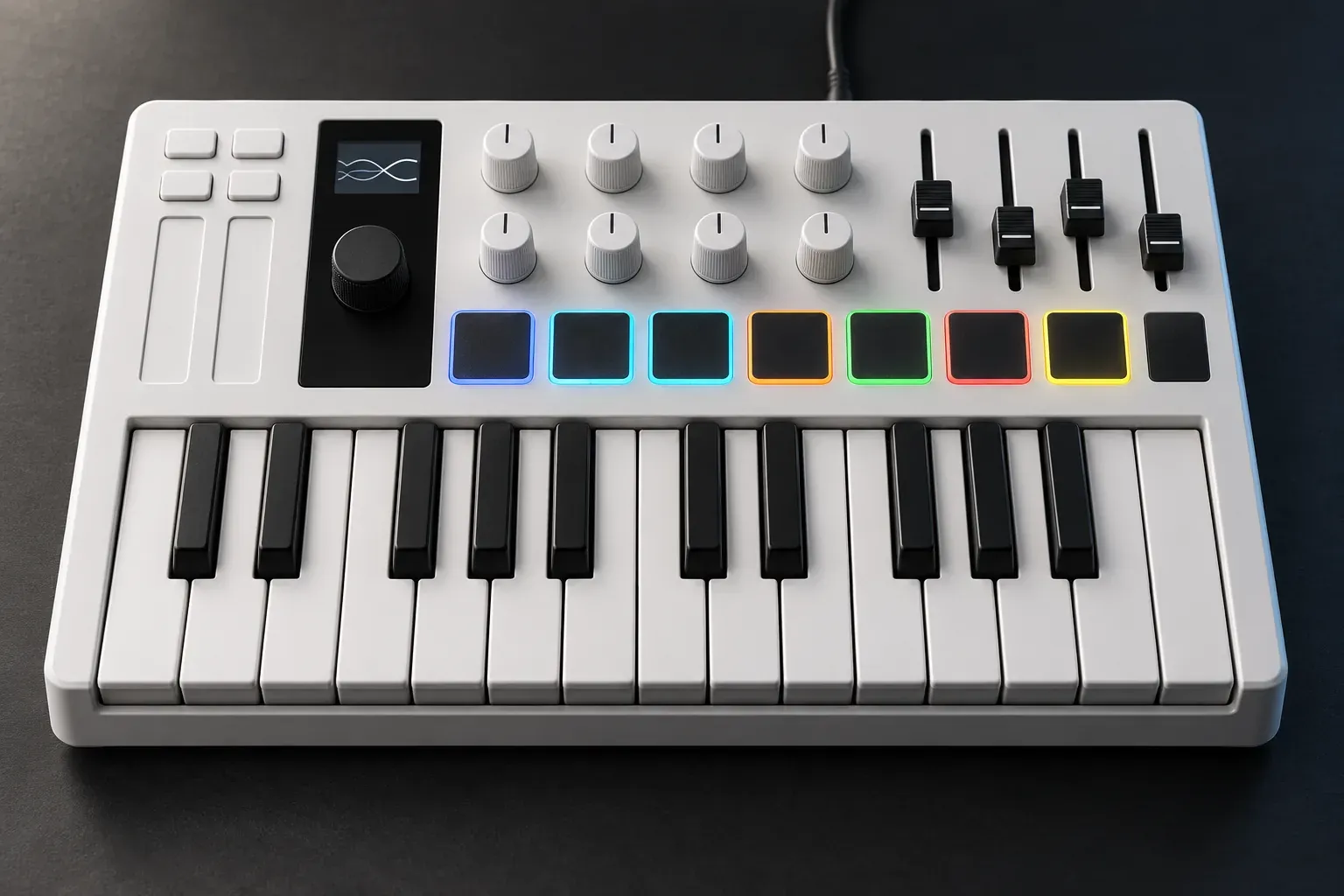
Thomann lists the MiniLab 3 White at $83 new; Arturia’s direct-store listing is $149. Arturia lists 25 slim keys, eight velocity- and pressure-sensitive RGB pads, eight encoders, four faders and touch strips for pitch and mod. It has custom scripts for Ableton Live, Logic Pro, Cubase, FL Studio and Bitwig. The USB-C port is bus-powered and class-compliant, a Control Input takes a footswitch, sustain or expression pedal, and a 5-pin MIDI out drives external gear. It weighs 1 kg, uses at least 50% recycled plastic and comes with a 5-year warranty.
Its four critic scores have a median of 8.75. HigherHz gave the MiniLab 3 4.8 of 5, with the keyboard its lowest sub-score at 4.0. MusicTech scored it 8 and points out that continuous encoders avoid parameter jumps when the hardware is closely integrated with the software. Generic one-way MIDI mappings can still jump. Audio News Room gave it 8.5 in a review updated after Arturia’s 1.1.1 firmware.
Pick it if you want to set track levels in Logic without reaching for the mouse. It’s the only keyboard here with a bank of faders. The touch strips take some getting used to if you expected wheels.
Nektar SE49: full-size keys for the least money
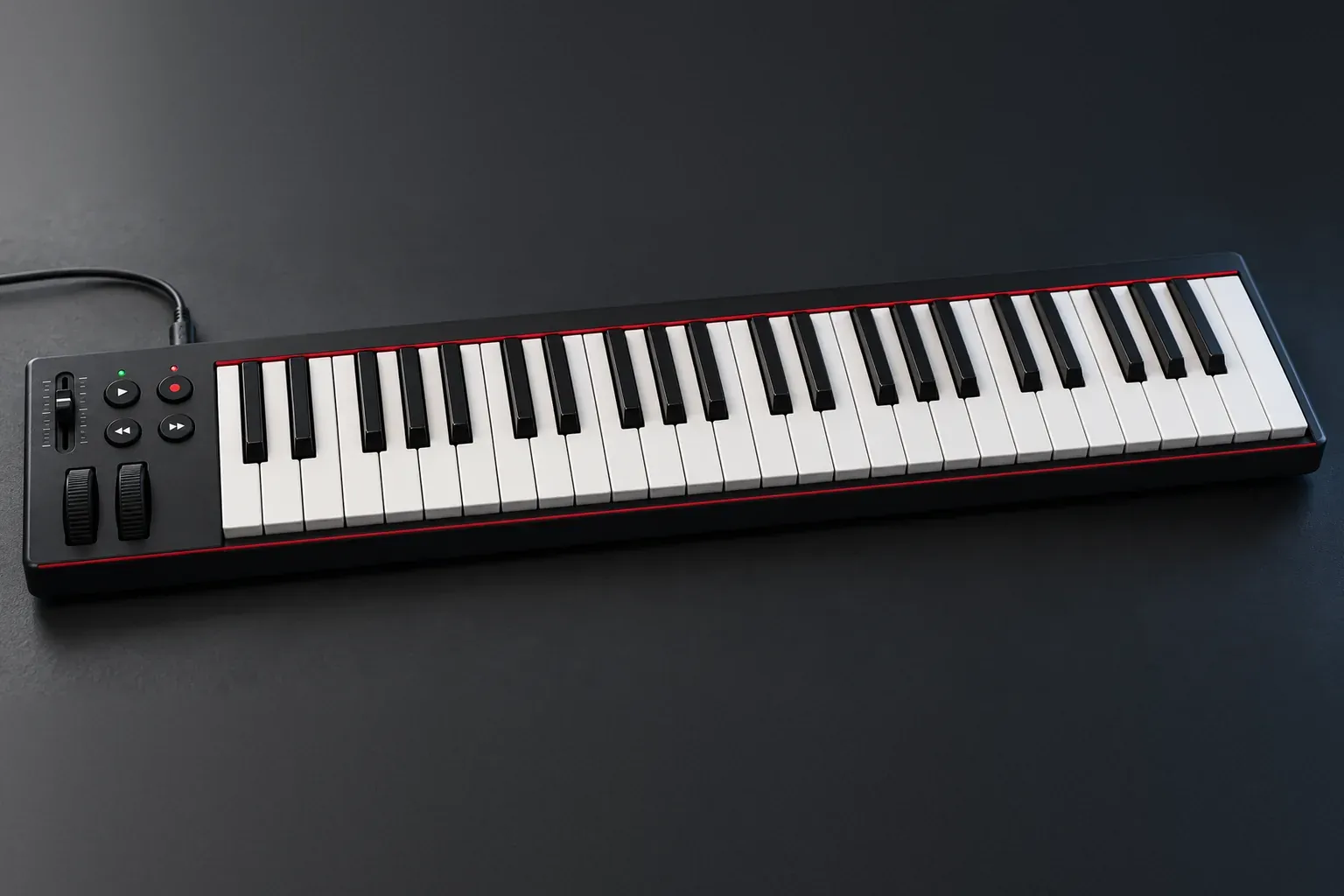
Gearank lists an $84.99 street price for the SE49. Nektar’s retailer-supplied product description lists 49 full-size, velocity-sensitive synth-action keys, a choice of four velocity curves plus three fixed ones, pitch and mod wheels, four buttons and one MIDI-assignable fader. A 1/4" jack takes a foot switch for sustain. It’s USB class compliant, so it needs no driver on a Mac.
Logic support needs one extra step. Nektar DAW Integration covers GarageBand and Logic, but you have to register the SE49 and download the integration files from your Nektar account first. It comes with Bitwig 8-Track. There are no pads, so drums are played on the keys. Gearank rates the SE49 92 of 100, built from more than 1,350 ratings and reviews, and lists Audio Mentor’s 90 of 100 among its sources.
For anyone who wants to learn chords with two hands, this is the one I’d pick over any mini keyboard, because four octaves of full-size keys cost less than the MPK. MusicRadar’s budget pick is the smaller SE25, which it puts below the $/£50 mark, but 25 keys bring back the octave-button shuffle.
M-Audio Keystation 88 MK3: 88 keys without hammer action
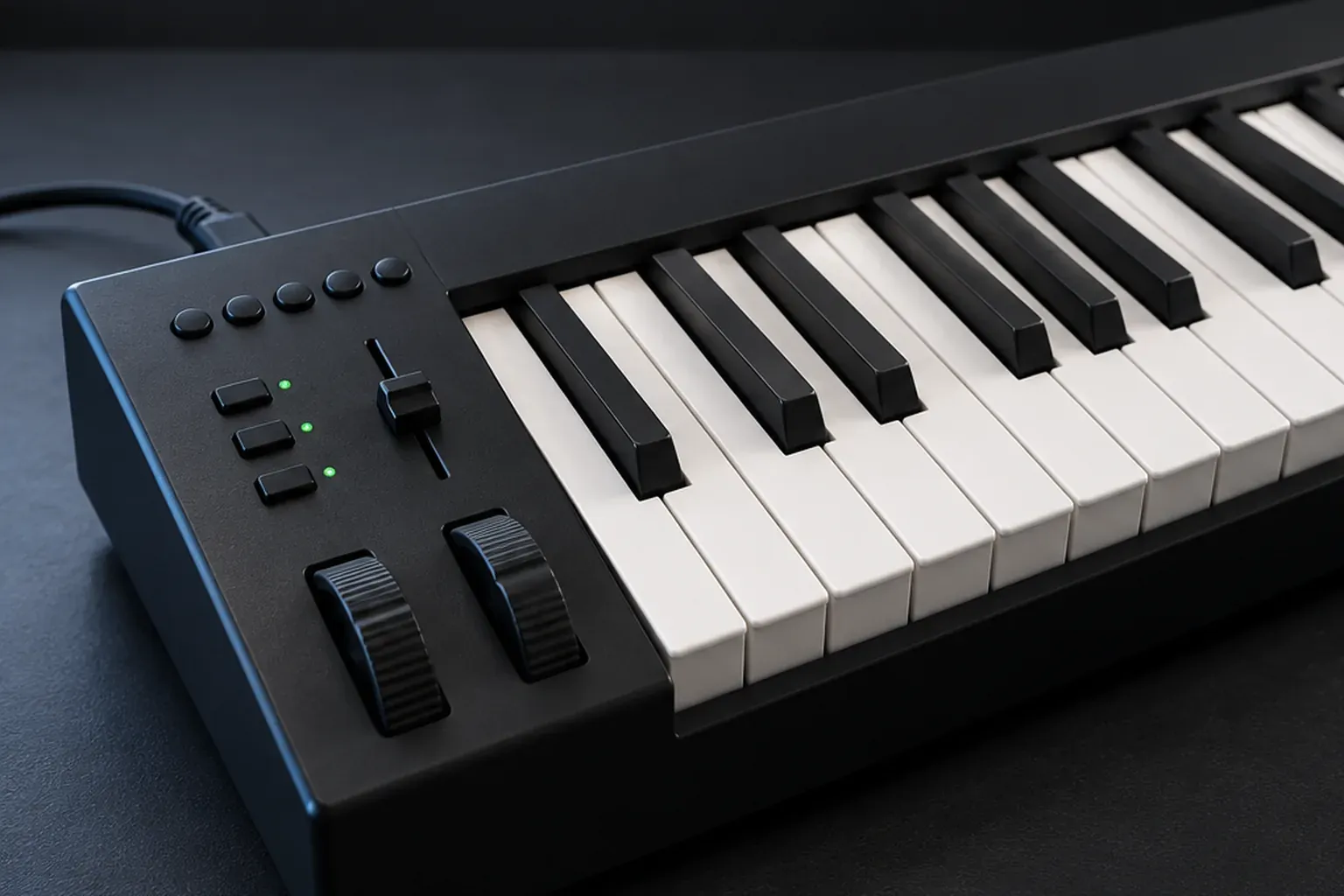
The Keystation 88 MK3 gives you full piano range on a budget. Thomann lists it at $179. MusicTech had it at $249 when it reviewed it. The 88 keys are semi-weighted, which MusicTech’s Keystation 88 MK3 review explains as “weights added to the spring mechanism to provide a more piano-like action, but requiring less force to press and a faster spring back”. It also weighs considerably less than hammer-action keybeds, at 6.2 kg, but it’s 1,378 mm wide, so measure the desk.
The rear panel has a USB type B socket for power and MIDI, plus sustain and expression pedal inputs. M-Audio’s Keystation 88 MK3 page adds a 5-pin MIDI out and plug-and-play USB with no drivers or power supply needed on a Mac. If you use the 5-pin MIDI output without USB power, use the specified 9V DC, 500mA, center-positive supply; it isn’t included. Its transport buttons show up as a separate USB port, which keeps them apart from the notes. MusicTech rated it 7, found the action “well balanced” for players who don’t want the expense of hammer action, and noted there’s no aftertouch and no way to change the velocity curve. Thomann buyers give it 4.6 of 5 from 111 ratings.
Buy it when piano range is the point and the budget is tight. If you already play piano and want a feel close to an acoustic, look at the hammer-action KeyLab 88 mk3 in our controller guide instead.
Korg microKEY Air 25: wireless for GarageBand on iPhone and iPad
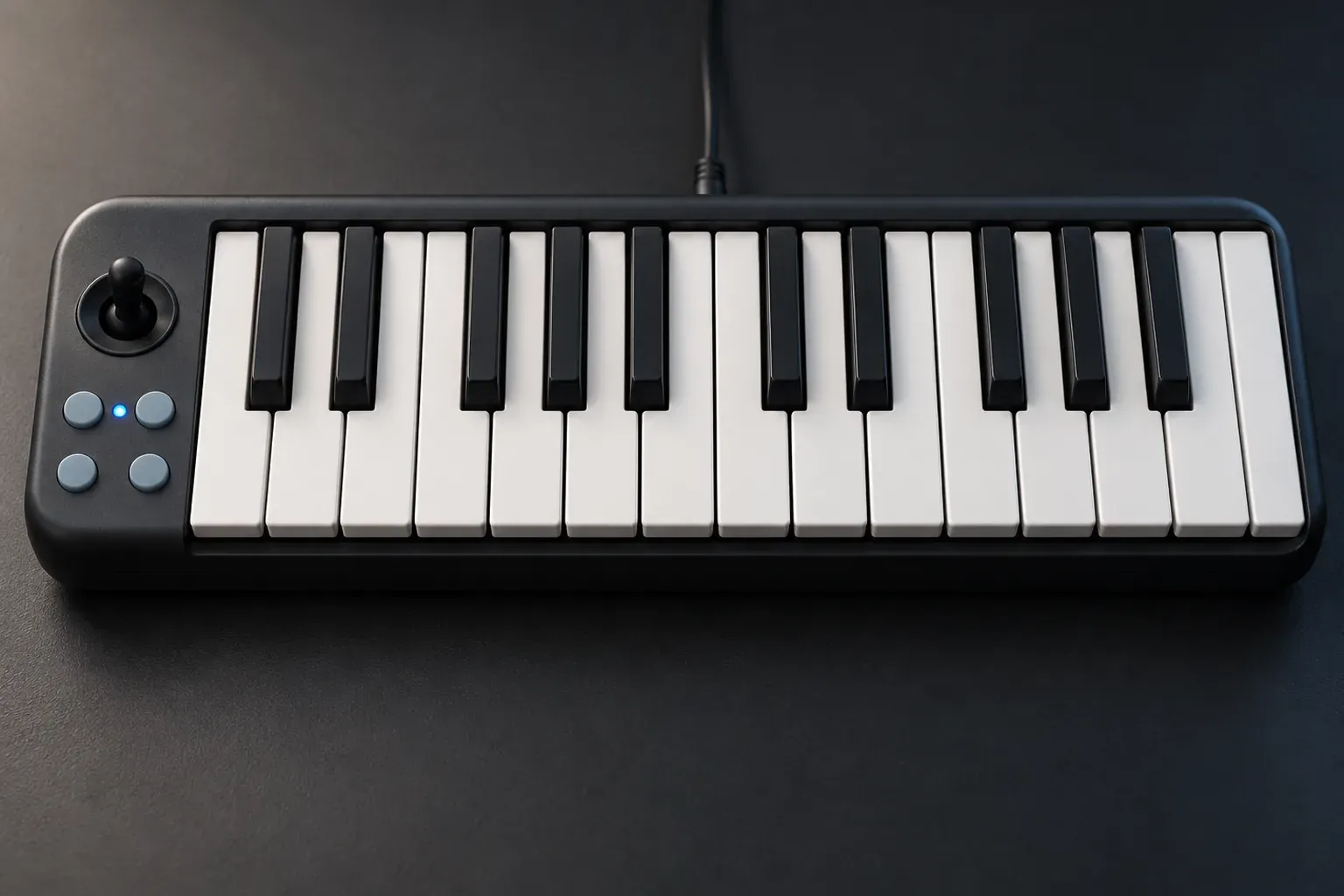
Thomann lists the microKEY Air 25 at $83 new. Its defining feature is Bluetooth MIDI. Korg’s microKEY Air page says two AA batteries last about a month at an hour of playing a day, and the keyboard also runs on USB bus power with no driver. Korg’s KONTROL Editor lets you fine-tune the velocity curve.
The 25-key model has a sustain button in place of a pedal jack. Only the 37-, 49- and 61-key versions take a damper pedal. A joystick handles pitch bend and modulation, and there’s an arpeggiator. MusicRadar rates it 4 of 5, “a good option if you travel a lot”, but warns about mini keys “which aren’t the best for expressive playing”. Thomann buyers give it 4.1 of 5 from 23 ratings, the lowest buyer score here.
Choose the Korg when wireless MIDI and a light travel setup matter more than pads, knobs or a pedal jack. It can work wirelessly with a Mac as well as an iPhone or iPad. For a desk setup built around drum pads and dedicated pitch and mod wheels, I’d still pick the MPK.
How many keys does a beginner need?
Twenty-five keys cover two octaves, and the octave buttons shift that window up or down. That’s enough for drums, bass lines and one-hand melodies, and the keyboard sits beside a laptop. Forty-nine keys give you four octaves, enough for a left-hand chord and a right-hand melody without pressing octave buttons mid-phrase. Eighty-eight keys give you the full piano range without octave shifts.
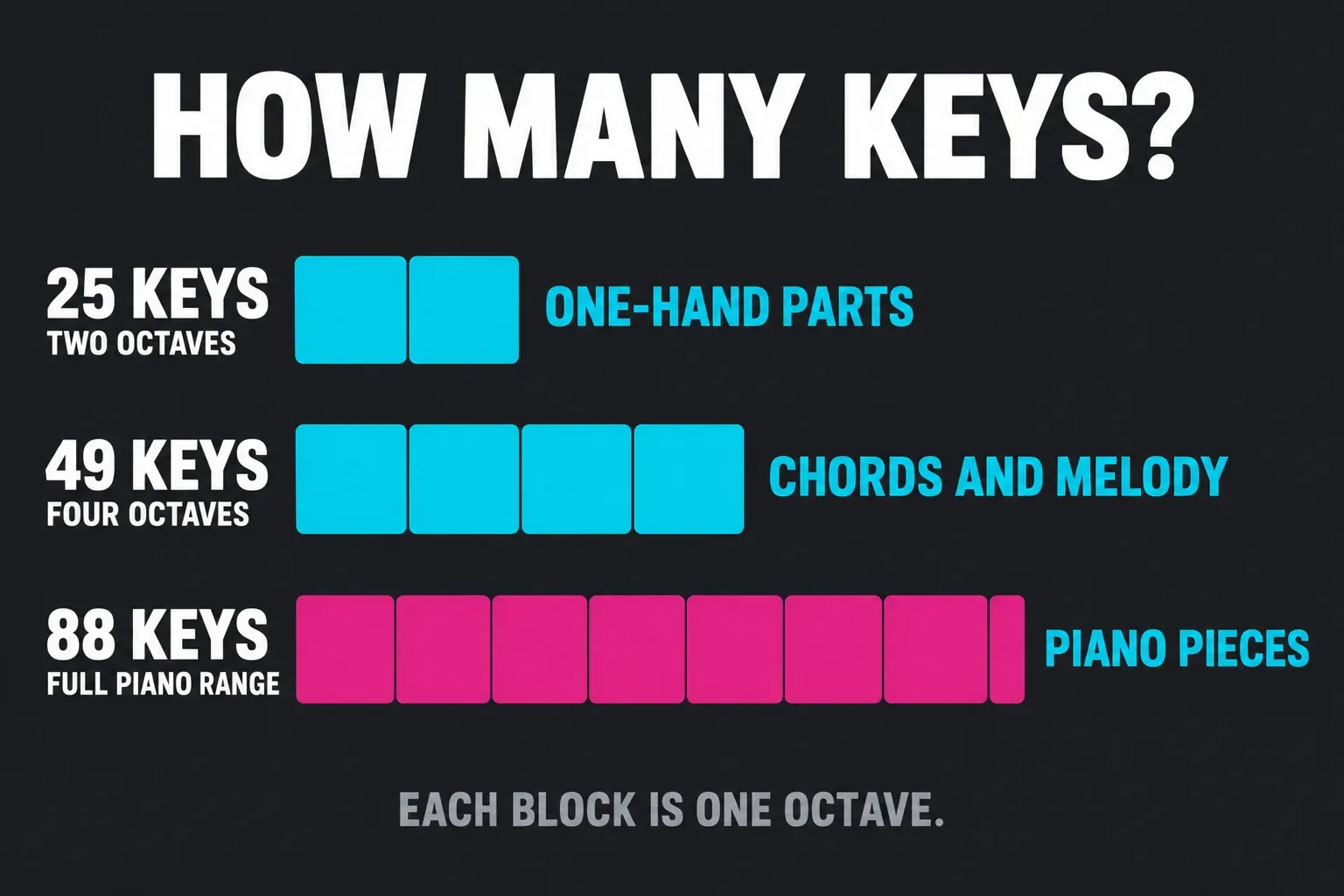
Key size and action are separate questions. Mini and slim keys are narrower than piano keys, which is why MusicRadar warns that mini keys aren’t the best for expressive playing. Synth action is light and springy. Semi-weighted adds weight to that spring, as on the Keystation, and hammer action imitates an acoustic piano at a much higher weight and price. Our controller guide covers choosing 25, 49, 61 or 88 keys in more depth.
Can you plug in a sustain pedal?
Five of the six take a pedal. The MPK Mini IV and the Launchkey Mini 25 MK4 have a 1/4" sustain input, the SE49 a 1/4" foot switch jack, and the Keystation separate sustain and expression inputs. The MiniLab 3’s Control Input accepts a footswitch, sustain or expression pedal. The microKEY Air 25 is the exception, with a sustain button instead.
Plan on buying the pedal separately. Akai, Novation and Arturia list a keyboard and USB cable in the box, but no sustain pedal, and SoundGuys reminds Launchkey owners that they’ll need to buy one. A simple foot switch is enough to start.
How do you connect a MIDI keyboard to GarageBand or Logic?
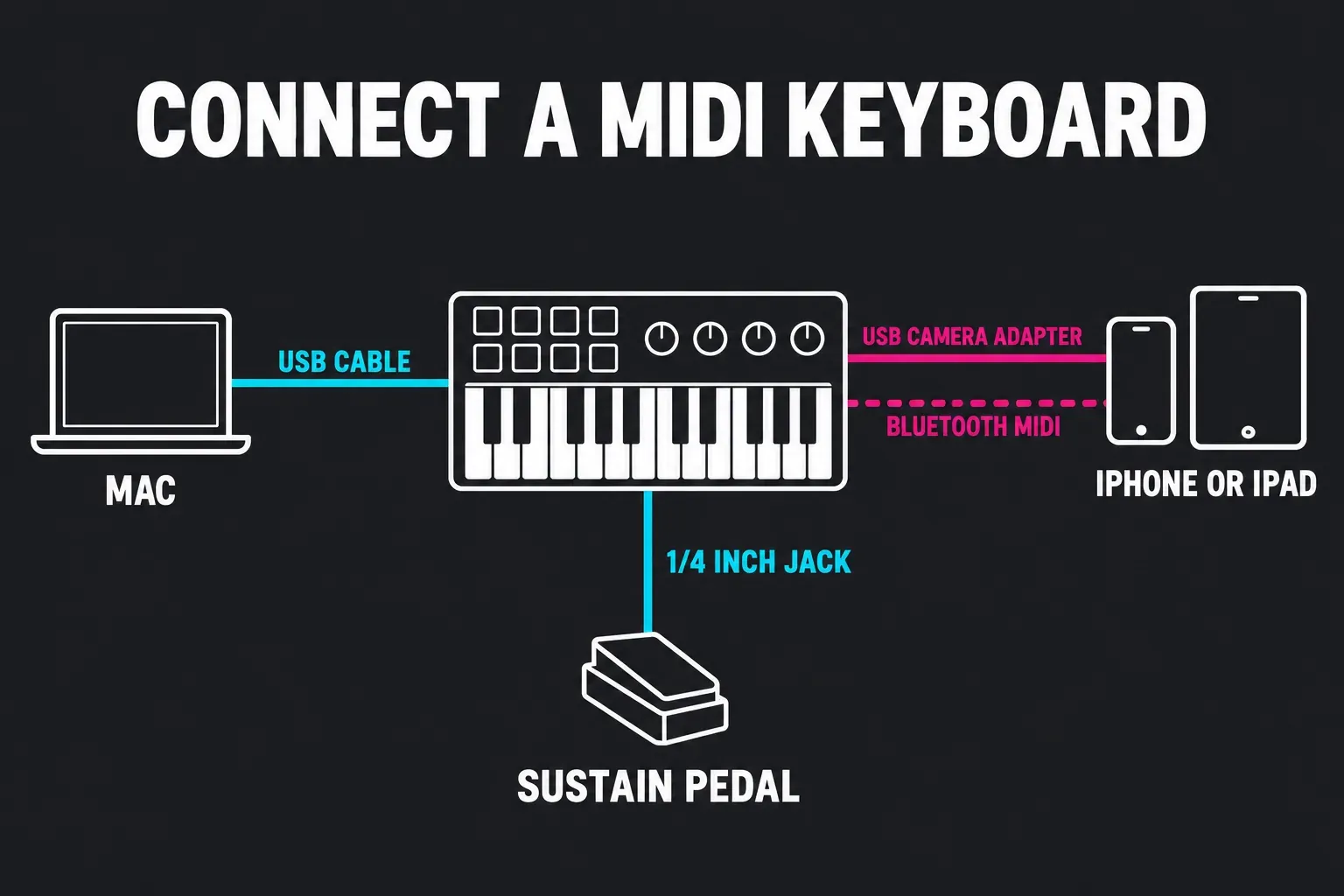
- Plug the keyboard into the Mac with its USB cable. Apple’s GarageBand keyboard guide says a USB music keyboard connects straight to the computer, while an older keyboard with only 5-pin MIDI needs a MIDI interface. All six here are USB keyboards. The Novation and Arturia boxes include a USB-C to USB-A cable, so a Mac with only USB-C ports needs an adapter or a USB-C to USB-C cable.
- Open GarageBand or Logic and create a software instrument track, then play a few keys. In Logic, our guide to creating a software instrument track shows the dialog.
- For the knobs, pads and transport buttons, install the maker’s Logic support. With the MPK Mini IV that means the Control Surfaces setup above, and with the SE49 the Nektar files from your account. Our walkthrough on getting notes playing first covers the rest.
- If nothing plays, start with checking that Audio MIDI Setup sees the keyboard, before you change anything in Logic.
Akai recommends checking for firmware updates before you use the MPK Mini IV for the first time. Once the notes reach Logic, recording your first MIDI region is the next step.
Can you use a MIDI keyboard with GarageBand on iPhone or iPad?
Yes, over USB or Bluetooth MIDI. On a USB-C iPad or iPhone, use a data-capable cable that fits the keyboard’s USB socket. A bus-powered keyboard may need a powered USB-C hub with power delivery. Lightning devices use the compatible Apple USB camera-adapter route. Check the keyboard maker’s iOS support and power requirements before buying the cable or hub.
The second is Bluetooth, and of these six only the microKEY Air 25 has it. In GarageBand on iPhone, tap the Settings button in the control bar, then Advanced, then Bluetooth MIDI Devices, and switch Connect on next to the keyboard’s name. On iPhone SE the path starts with Settings, then Song Settings. Apple’s iPad Bluetooth MIDI steps are the same, without the Song Settings detour. If you’d rather move to Logic on a tablet later, our Logic Pro for iPad guide covers what it adds.
When should a beginner spend more?
Spend more when you already play piano, or when you want 49 keys and pads and faders on one keyboard. None of these six has hammer action, and the hammer-action and 49-key models in our best MIDI controllers for Logic Pro guide are the next step. For everyone else, the money does more as software or lessons than as a pricier keyboard.
Every keyboard here works with GarageBand, which costs nothing on a Mac, so you can start there and move up when you hit its limits. Our Logic Pro vs GarageBand comparison for MIDI and beats shows where that line sits, and the Logic Pro free trial lets you test the bigger app with the same keyboard.
MIDI keyboard for beginners FAQ
What is the best MIDI keyboard for a complete beginner?
The Akai MPK Mini IV, listed at $92 new before destination charges. It has 25 mini keys, eight pads, eight knobs, pitch and mod wheels and a Logic script, and its four critic scores have a median of 8.55. If you want full-size keys, the Nektar SE49 has a street-price guide of about $85.
Are mini keys OK for learning piano?
Not for piano technique. Mini keys are narrower than piano keys and, in MusicRadar’s words, “aren’t the best for expressive playing”. For piano practice, start with the SE49’s full-size keys or the Keystation 88 MK3’s semi-weighted ones.
Does a MIDI keyboard make sound on its own?
No. None of these six has built-in sounds. They send notes to GarageBand or Logic, and the software instrument on the track makes the sound. Without that track, you hear nothing.
Do these keyboards need a driver on a Mac?
Arturia, Nektar and Korg list theirs as class-compliant or driver-free, MusicTech found the Launchkey Mini MK4 needs no driver on macOS, and the Keystation 88 MK3 is plug-and-play. Akai’s MPK Mini IV guide covers firmware updates and Logic ports rather than a driver. DAW scripts are a separate install for the knobs and buttons.
Is 25 keys enough to make beats?
Yes. Two octaves plus octave buttons cover drums, bass lines and melodies, which is why MusicRadar’s top beginner pick is a 25-key keyboard. Move to 49 keys when you start playing chords and melody together.
Does the MPK Mini IV work with GarageBand?
Yes. Akai lists GarageBand among its supported setups, next to Logic Pro, Ableton Live, FL Studio and Cubase. Over USB it plays GarageBand software instruments like any USB music keyboard.


