Best Laptop for Music Production: Mac and Windows Picks by Latency, Noise and Battery
Seven laptops for music production: four Macs for Logic Pro and three Windows laptops chosen by measured DPC latency, with load noise, battery life and Logic track counts from published tests, which MacBook Pro chip fits which size, and how much memory to buy.

The best laptop for music production is the 14-inch MacBook Pro with the base M6 chip, and if you make music in Logic Pro it has to be a Mac, because Logic Pro requires a Mac with Apple silicon. On Windows, buy by measured DPC latency rather than the spec sheet: my three Windows picks measured 316 to 603 µs in Notebookcheck’s LatencyMon ranking, against a median of 1468 µs in the retained October 29, 2026 snapshot of 639 Windows machines. Only 31% of that snapshot stays under 1000 µs. Across the five picks Notebookcheck reviewed, Wi-Fi battery life has a median of 13 h 53 min (9 h 14 min to 16 h 42 min), and the fan-cooled ones peak at a median of 51.3 dB(A) under load.
For Logic Pro I’d buy the 14-inch MacBook Pro with M6 and 16GB, or 24GB if you play big sample libraries: its M5 predecessor’s first fan level was practically inaudible in testing, and that M5 model ran longest in Notebookcheck’s battery test of all my picks. On Windows I’d pick the Asus ProArt P16 for big sessions, the Lenovo IdeaPad Pro 5 14 for the lowest latency of my picks (4th of 639) and the ROG Zephyrus G14 if the same laptop has to play games. Below are the picks table, which MacBook Pro chip belongs in which size, whether an Air or the MacBook Neo is enough, the numbers behind each Windows pick, why one Windows model name can measure nearly eight times the latency in another configuration, what a Snapdragon laptop means for your audio interface, and how much memory to buy.
Which laptops are best for music production?
These seven, each for a different kind of session. Four are Macs, because that is the only way to run Logic Pro, and three are Windows laptops chosen by measured latency first and noise second.
| Laptop | Best for | Key test result | Load noise, average / peak | Wi-Fi battery |
|---|---|---|---|---|
| 14-inch MacBook Pro, M6 | Best overall, and the Logic Pro pick | 96 tracks of a Serum and Diva template at a 32-sample buffer (M5 model) | 25.2 / 48 dB(A) (M5 model) | 16 h 42 min (M5 model) |
| 16-inch MacBook Pro, M5 Pro or M5 Max | The biggest sessions | 226 reverb-heavy tracks at maximum buffer settings before a System Overload (M5 Max) | Fan inaudible in MusicRadar’s session | Up to 17 h, Apple rating (M5 Pro) |
| 13-inch MacBook Air, M5 | Silent recording and travel | Median 92.3% of a base-M5 MacBook Pro; 3 workloads, 1 publisher | Silent, no fan | 16 h 11 min |
| MacBook Neo | Recording and mixing with stock plug-ins | 28 template tracks, 29% of the M5 MacBook Pro | Silent, no fan | Up to 11 h, Apple rating |
| Asus ProArt P16 (H7606WP) | Windows workstation for big sessions | 602.8 µs DPC latency, 76th of 639 | 44.8 / 53.7 dB(A) | 9 h 14 min |
| Lenovo IdeaPad Pro 5 14 (14AKP G10) | Lowest latency of my picks | 316.4 µs DPC latency, 4th of 639 | 46.5 / 48.9 dB(A) | 13 h 53 min |
| Asus ROG Zephyrus G14 (GA403WW) | Gaming and music on one laptop | 543.3 µs DPC latency, 62nd of 639 | 54.4 / 54.4 dB(A) | 10 h 27 min |
Where a cell doesn’t name another source, the noise and battery columns come from Notebookcheck’s review of each laptop: load noise uses the review’s two reported Load values, average / maximum; battery is its Wi-Fi web-browsing run. All DPC ranks, field percentages and the chart use the same October 29, 2026 snapshot of 639 devices; the live ranking can change. The MacBook Pro row uses the M5 model, because MacRumors reports that the enclosure carries over despite the chip and connectivity updates. The track counts come from the Mac Musicians and More benchmark table, which duplicates a Serum and Diva template in Logic until it overloads, and from MusicRadar’s M5 Max review. The Neo’s silence comes from Adam Talks Tech’s Air versus Neo test, which notes that both laptops are fanless. Read the test-result column within one platform: Logic track counts for the Macs, DPC latency for the Windows laptops.
Which MacBook Pro is best for music production?
The 14-inch with the base M6 chip for most people, and the 16-inch with an M5 Pro or M5 Max when a representative session needs more sustained CPU headroom or memory. The base model’s M5 predecessor ran 95 tracks of the DAW Overload template at a 512-sample buffer and 96 at 32 samples, so that specific template kept its track count at the smaller buffer. In Notebookcheck’s M5 MacBook Pro review, its first fan level of 2,500 rpm was practically inaudible at 25 dB(A), load noise averaged 25.2 dB(A) with a 48 dB(A) peak, and it lasted 16 h 42 min in the Wi-Fi test, the longest Notebookcheck run of my picks.
Apple’s 14-inch MacBook Pro with M6 adds two CPU cores, starts at 16GB, is configurable to 32GB and went on sale on November 6. The numbers in this guide come from its M5 predecessor, so read them as a reference for the same case, cooling and screen, not as a measured M6 result. The MacBook Pro tech specs list three Thunderbolt 4 ports, HDMI, an SDXC card slot, MagSafe 3 and a headphone jack, a weight of 3.4 pounds (1.55 kg) and 1TB of storage to start.
| Your sessions | MacBook Pro I’d pick | Why |
|---|---|---|
| Recording and mixing within the tested template’s load | 14-inch, M6, 16GB | 96 template tracks at 32 samples on the M5 model; a separate review found its first fan level nearly inaudible |
| Kontakt, orchestral templates, big sample libraries | 14-inch, M6, 24GB or 32GB | Memory is soldered, and 32GB is the M6 ceiling |
| Dense sessions exceeding the base model’s headroom | 16-inch, M5 Pro | An M4 Pro already ran 220 template tracks at 32 samples, and the 16-inch M5 Pro scored 96.8% of the 16-inch M5 Max in Notebookcheck’s multi-core CPU rating |
| The heaviest sessions and libraries over 64GB | 16-inch, M5 Max | 266 template tracks at 32 samples, 2.8 times the base M5, and up to 128GB of memory |
The one configuration I’d skip is the M5 Max in the 14-inch case. In Notebookcheck’s 14-inch M5 Max review, the fans reached 53.2 dB(A) at about 7,500 rpm in the stress test, load noise averaged 36.8 dB(A) against 25.2 for the base M5, and the reviewers concluded that the M5 Max is a better option for the larger 16-inch model. Their M5 Pro and M5 Max CPU analysis shows why: the 14-inch M5 Max had trouble holding 50 watts while a 16-inch M5 Pro held 62 watts in High Power mode, and the small M5 Max scored 92.5 points in the multi-core CPU rating against 96.5 for the bigger M5 Pro. In that measured multi-core comparison, the 14-inch Max was louder and scored below the 16-inch Pro; this does not establish a winner for every audio workload.
At the top of the range, MusicRadar’s review unit was a 16-inch M5 Max with 128GB. It played 525 channels of samples and instrument loops across 48 sub-groups in Logic Pro with CPU load peaking at 56%, took 226 reverb-heavy tracks at maximum buffer settings before showing a System Overload message, and the reviewer couldn’t hear the fan over the buzz of a fridge. If your current Mac already overloads, work through our Logic Pro system overload guide before you buy, and our guide to the best Mac for Logic Pro compares the desktop Macs as well.
Is the OLED MacBook Pro better for music production?
Not for track counts. Apple says the new MacBook Pro with PROLED XDR Display keeps the same sustained performance of the M5 Pro and M5 Max in a lighter design, so the standard-model results above are a useful CPU reference. They are not track-count, fan-noise or battery measurements of the new chassis. What it adds for musicians is touch: in Logic Pro the screen becomes a fully Multi-Touch polyphonic keyboard, with tappable chord and drum pads. The 14-inch weighs 3 pounds and the 16-inch 4 pounds, and both have three Thunderbolt 5 ports, HDMI, an SDXC slot, MagSafe and a headphone jack, with up to 128GB of memory.
My read: pick the chip first, from the table above. Pay for the OLED model if you’ll play parts on the screen or carry the laptop every day; at a desk with a keyboard controller and an interface, the standard MacBook Pro does the same audio work.
Is a MacBook Air good enough for music production?
Yes, when the project fits its real-time processing and memory limits. In Adam Talks Tech’s three M5 Air versus base-M5 MacBook Pro workloads, the Air reached a median 92.3% of the Pro’s throughput, with a range of 85.6% to 100%. These are three measurements from one publisher. The older M4 Air result is excluded. In the 500-track bounce, the M5 Air took 4 min 30 s against 3 min 51 s on the base-M5 Pro.
Notebookcheck’s 13-inch M5 Air review explains the trade. It is a completely silent laptop with fanless cooling, it lasted 16 h 11 min in the Wi-Fi test, and under full load its power draw was throttled by the thermal limits after a couple of minutes. The separate Logic comparison above also found a slower long bounce on the Air; it does not isolate heat as the cause.
Apple’s MacBook Air specs start it at 16GB, configurable to 24GB or 32GB, with two Thunderbolt 4 ports, MagSafe and a headphone jack. The two ports are the real limit. MusicRadar’s M4 Air review found that once an external drive and an audio interface are plugged in, there’s no more space for MIDI keyboards, and called a decent USB hub a must. Charge through MagSafe so both Thunderbolt ports stay free.
My read: for vocals, guitars, podcasts and mixing, the Air is as quiet as a laptop gets next to a microphone. Buy 24GB if you play big sample libraries, because the memory can’t be upgraded later.
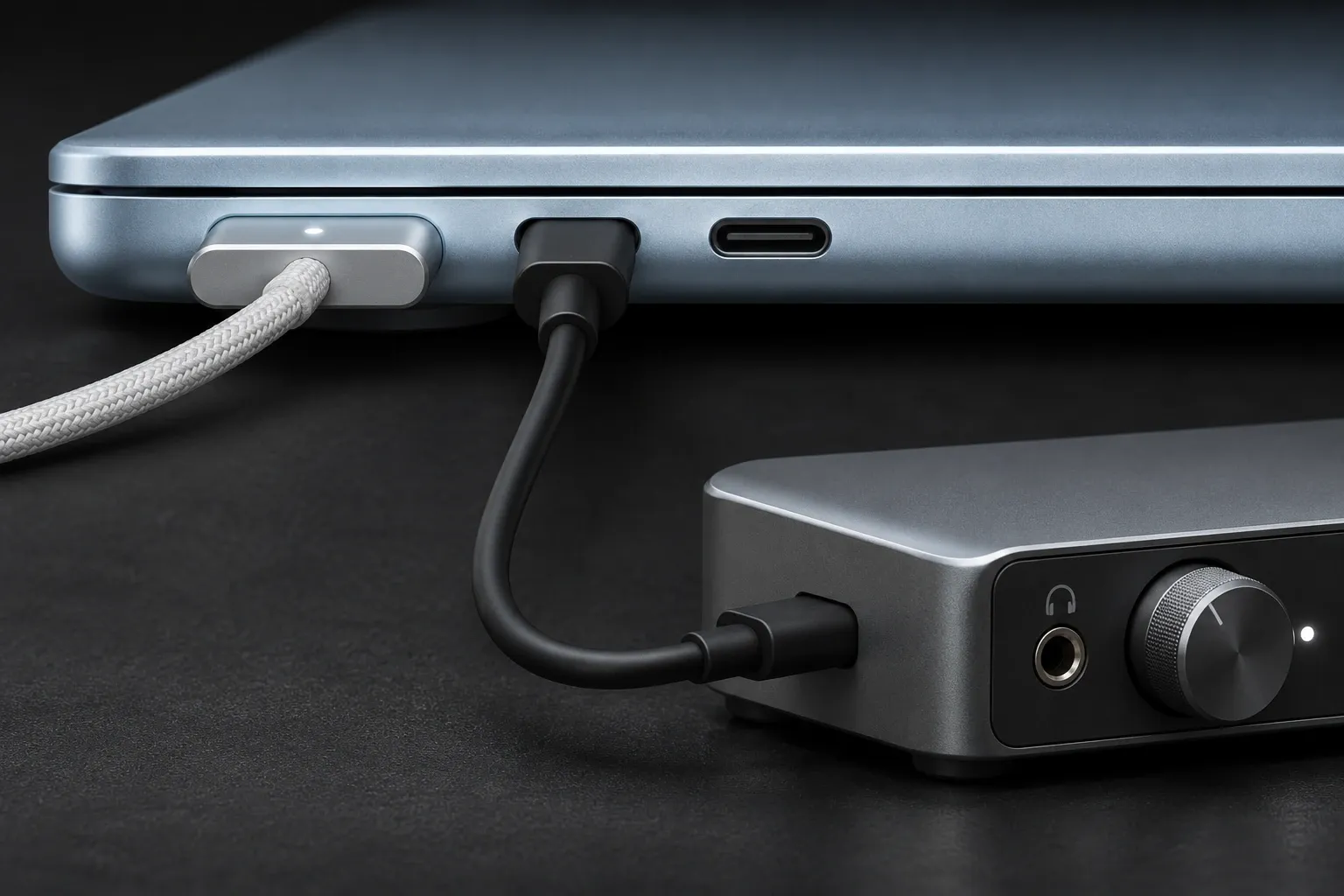
Can the MacBook Neo handle music production?
The Neo’s published Logic results favor lighter audio sessions with stock plug-ins over dense synth or sample-library work; they don’t establish eligibility for every current app edition. Its 28 DAW Overload tracks were about 29% of the base-M5 MacBook Pro in that template. Separately, three Neo versus M5 Air workloads from Adam Talks Tech give a median 42.9%, with a range of 41.1% to 46.7%. The 35% Neo-versus-M4-Air result belongs to a different comparison and is excluded from that median.
I wouldn’t buy a Neo for a new Creator Studio subscription without confirming compatibility with Apple. The subscription app’s Mac listing specifies macOS 26.1 and an M1 chip or later, which doesn’t describe the Neo’s A18 Pro. The standalone Mac listing states macOS 26.1, while Apple’s Creator Studio support page says Apple silicon. Check the exact app edition before choosing the Neo; I’d choose an M-series Air for a new subscription purchase.
MusicRadar’s MacBook Neo review shows the other side. With around 70 plug-ins on a mix and the built-in Core Audio device, the Neo played the whole five-minute song with the CPU meter between half and three-quarters full; it reached 171 tracks before errors and overloaded past 180 tracks and about 140 plug-ins. The reviewer used stock plug-ins only and points out that virtual instruments are a lot more power-intensive, which is why the Serum and Diva template stops at 28 tracks while recorded audio tracks with stock plug-ins go past 170.
The limits are fixed. Apple’s MacBook Neo specs list an A18 Pro chip with 8GB of memory, the only option on the spec sheet, two USB-C ports, one of them limited to USB 2 speed, and up to 11 hours of wireless web. In MusicRadar’s session, a couple of hours of mixing from half charge ran the battery down until the laptop switched itself off. Plug the interface into the faster port, keep the charger nearby and freeze finished instrument tracks; how to freeze tracks in Logic Pro shows the steps.
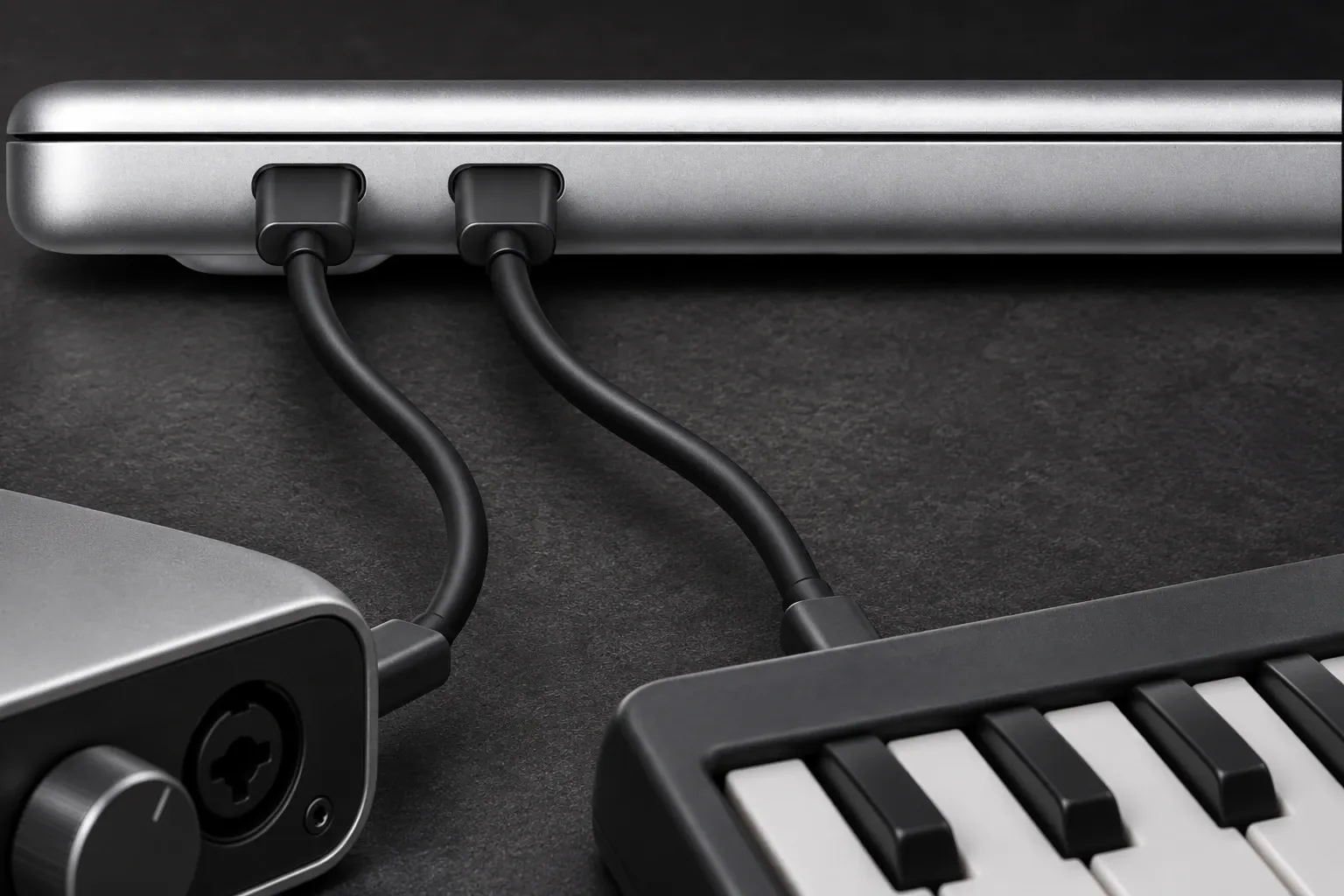
What is the best Windows laptop for music production?
The Asus ProArt P16 for big sessions. The H7606WP configuration, with a Ryzen AI 9 HX 370, an RTX 5070 Laptop GPU and 64GB, measured 602.8 µs in Notebookcheck’s DPC ranking, 76th of 639 and lower than 88% of the field, and Notebookcheck’s H7606WP review found no restrictions when using real-time audio applications.
MusicRadar’s ProArt P16 review used the H7606WI, with the same processor and 64GB but an RTX 4070. In its D-Verb test, 50 tracks with five D-Verb inserts each, 250 instances, averaged 30% CPU without a hint of a pop or dropout; 300 tracks, or 1,500 instances, ran at 80% CPU for the full five minutes, and it took 400 audio tracks to throw an error. That review gives no DPC figure, and Notebookcheck couldn’t launch LatencyMon on its own H7606WI, so the latency number above belongs to the WP only.
The cost is noise and battery. Load noise averaged 44.8 dB(A) with a 53.7 dB(A) peak, and the Wi-Fi test ended at 9 h 14 min, the shortest of my picks. Whisper mode is the profile I’d try for recording: Notebookcheck’s energy-profile table shows it capping the fans at 42.8 dB(A) while keeping 1,169 of the 1,215 Cinebench 2024 multi-core points it scored in Performance mode, about 96%.
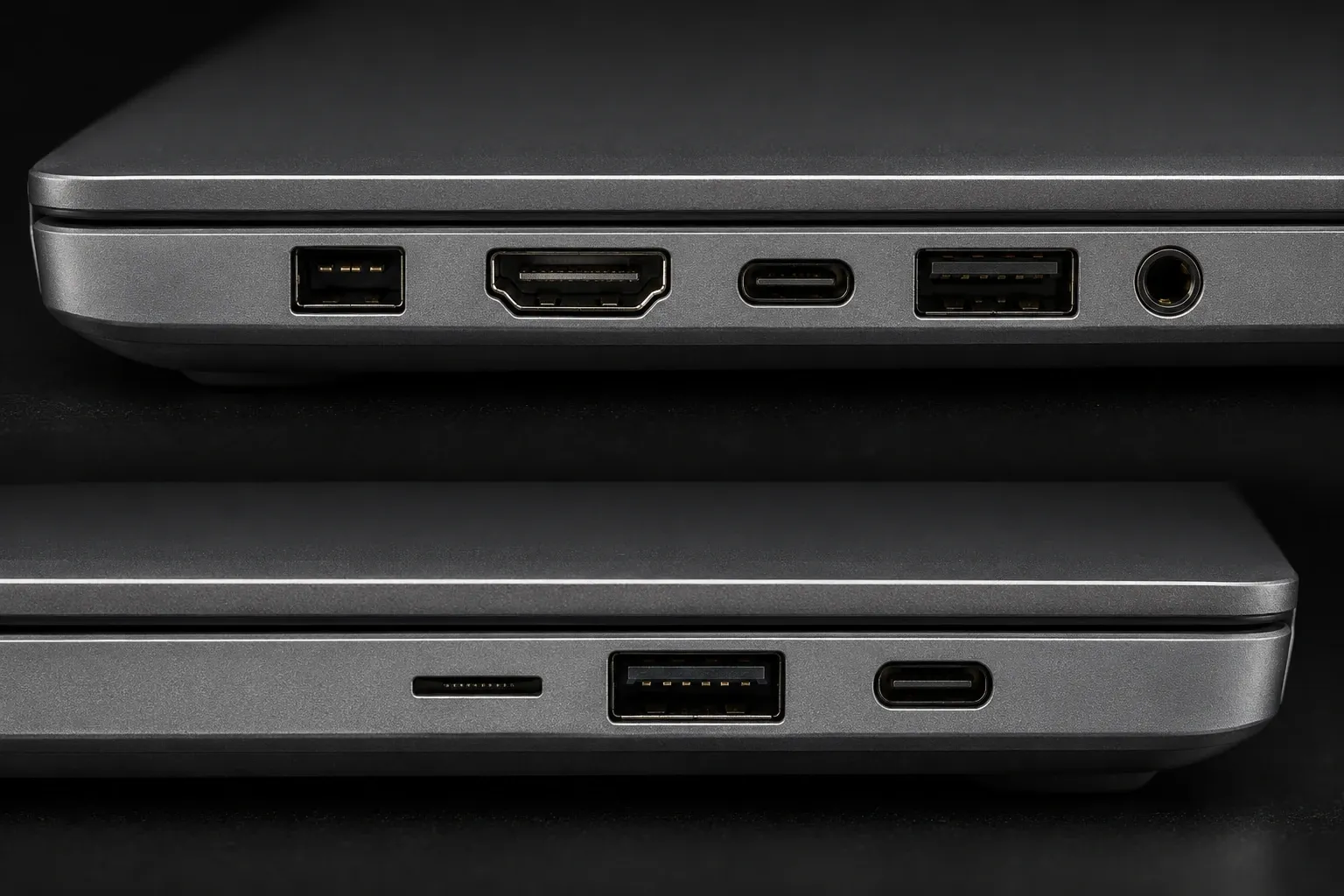
Check the configuration before you buy. A P16 with an RTX 5090 measured 4785.0 µs in the same ranking, 574th of 639 and nearly eight times the WP. On the maker’s spec page the P16 has two USB-A ports, a USB4 port and a second USB-C port, HDMI 2.1, an SD Express card reader and a headphone jack, 32GB or 64GB of memory on board, two M.2 slots and a 90Wh battery.
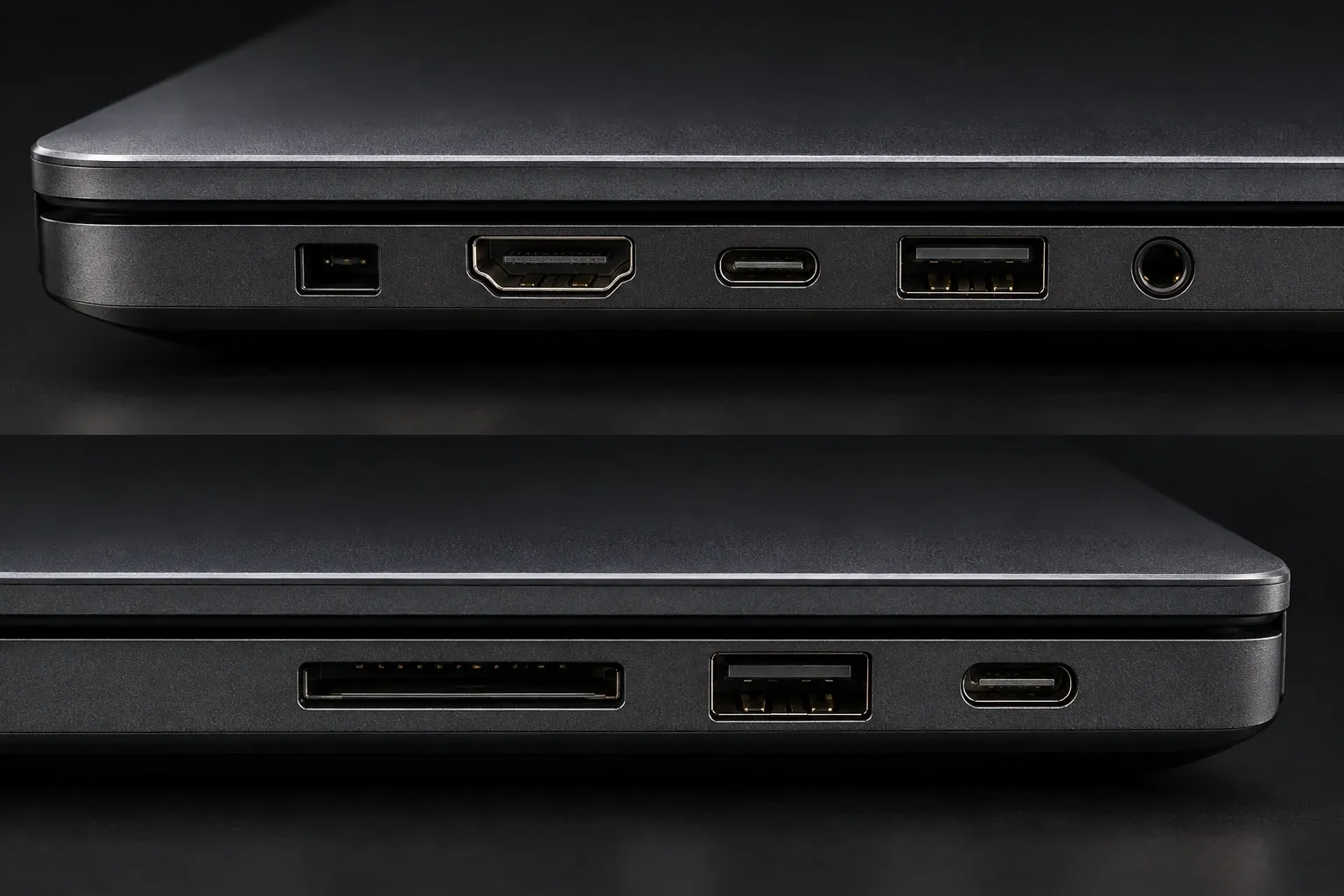
Which Windows laptop has the lowest latency for recording?
Of my picks, the Lenovo IdeaPad Pro 5 14 Gen 10 with AMD. The 14AKP G10 configuration with a Ryzen AI 7 350 measured 316.4 µs, 4th of 639 Windows machines and lower than 99.4% of them; only three machines in the ranking went lower, and one of those is a mini PC. Notebookcheck’s 14AKP G10 review found no limitations when using real-time audio applications, and it lasted 13 h 53 min in the Wi-Fi test.
Its fans are the catch: load noise averaged 46.5 dB(A) and peaked at 48.9 dB(A). The same review’s energy-profile table offers the fix. In Battery saver mode the fans topped out at 32.3 dB(A) and the processor kept about 70% of its Performance-mode Cinebench 2024 multi-core score, 683 against 977 points. That is the profile I’d try for recording, then check the session again at its intended buffer size; a Cinebench score does not guarantee real-time audio headroom.
Model codes matter here too. Two other IdeaPad Pro 5 14 configurations in the ranking measured 647.4 µs (14AGP11, 99th) and 1219.5 µs (14AHP9, 258th), so match the 14AKP code on the spec sheet. The tested unit has two USB4 ports, two USB 3.1 Gen 1 ports, HDMI, an SDXC reader and a headphone jack, weighs 1.4 kg, and its memory is soldered, but a free M.2 2280 slot takes a second SSD.
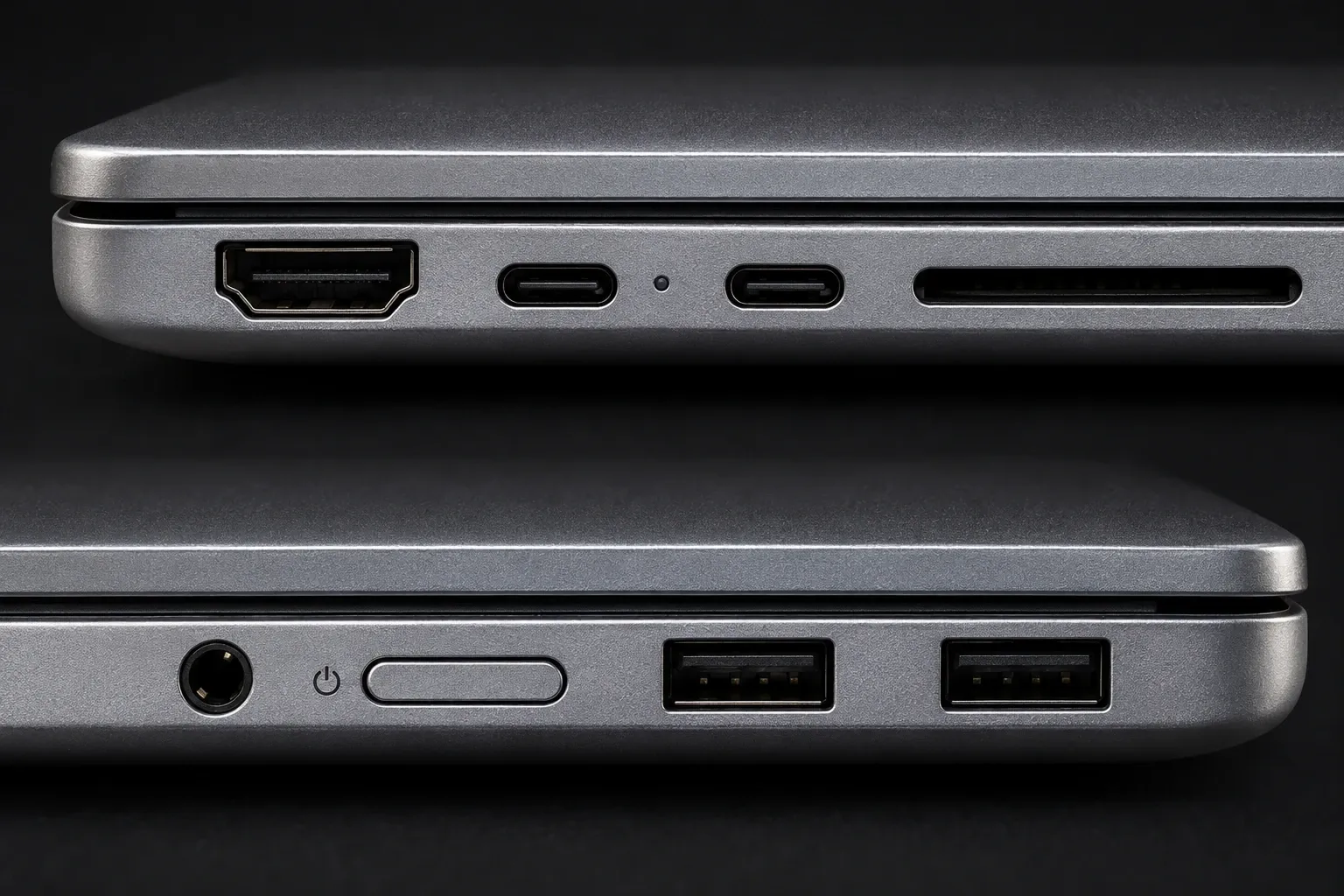
Are gaming laptops good for music production?
Some are, and the Asus ROG Zephyrus G14 is the one I’d pick. The top GA403WW configuration, with a Ryzen AI 9 HX 370, an RTX 5080 Laptop GPU and 64GB, measured 543.3 µs, 62nd of 639, and Notebookcheck’s GA403WW review says that with the BIOS version used for that review it showed no limitations during real-time audio applications. Match the exact hardware, check the maker’s BIOS and driver guidance, and rerun the test after a change; an update is not a guarantee of the same result. It is also the most consistent of the families I checked: three G14 configurations measured 479.4 to 634.7 µs, a spread of only 1.3 times.
It is loud, though. Load noise held at 54.4 dB(A), the highest of my picks, and Quiet mode, at a maximum of 42 dB(A), is what brings it near the others; the Wi-Fi test ran 10 h 27 min. ROG’s spec page lists two USB-A ports, a USB-C port and a USB4 port, a microSD reader, a headphone jack and a 73Wh battery, and lists the memory as on board with no expansion possible, so buy the amount you need on day one.
Not every gaming laptop measures like this. MusicRadar’s laptop guide names the MSI Katana 15 HX as its gaming pick; that exact model has no row in the ranking, but the three Katana models that do measured 2467.1 to 10002.9 µs, 483rd to 619th of 639. That gap is why I check the ranking before recommending any gaming laptop for audio.
How do you check DPC latency before buying a Windows laptop?
Find the exact configuration in Notebookcheck’s DPC latency ranking and shortlist machines under 1000 µs. Notebookcheck runs LatencyMon while the laptop browses the web, plays 4K YouTube video and then runs Prime95, on the balanced power plan and plugged in, and records the highest interrupt-to-process latency. In the retained October 29, 2026 snapshot of 639 Windows devices, the median is 1468.2 µs, 31.3% stay under 1000 µs and only 7.5% under 500 µs.
Why it matters: LatencyMon’s developer explains that if audio buffers are not processed or delivered before their deadlines, you hear dropouts, clicks and pops. A single 64-sample buffer at 48 kHz lasts 1.33 ms. That is not the interface’s round-trip audio latency, and the ranking measures interrupt-to-process latency, not a DAW playback test. I use 1000 µs as an initial screening threshold for low-buffer recording, then test the actual interface and session. It is my threshold, not a Notebookcheck pass mark or a guarantee against dropouts.
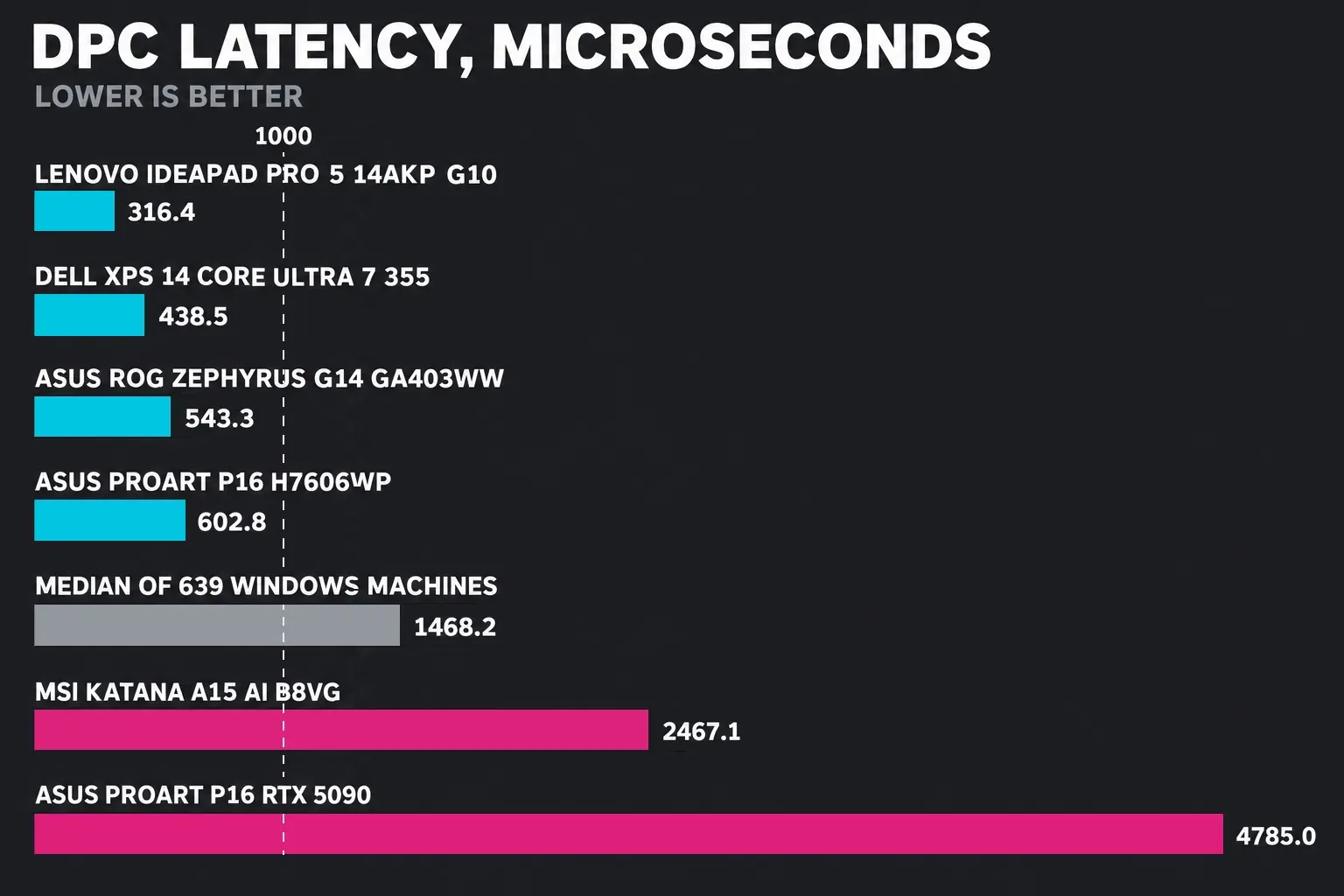
The configuration matters as much as the model name. Here is how far each family moves in the same ranking:
| Laptop family | Lowest configuration | Highest configuration | Spread |
|---|---|---|---|
| Asus ProArt P16 | 602.8 µs (H7606WP) | 4785.0 µs (RTX 5090) | 7.9 times |
| Dell XPS 14 | 438.5 µs (Core Ultra 7 355) | 2192.4 µs (earlier OLED model) | 5.0 times |
| MSI Katana | 2467.1 µs (A15 AI B8VG) | 10002.9 µs (A17 AI B8VG) | 4.1 times |
| Lenovo IdeaPad Pro 5 14 | 316.4 µs (14AKP G10) | 1219.5 µs (14AHP9) | 3.9 times |
| Asus ROG Zephyrus G14 | 479.4 µs (GA403U) | 634.7 µs (GU405AR) | 1.3 times |
The Dell XPS 14 shows why I check the exact processor. Its Core Ultra 7 355 configuration measured 438.5 µs, 31st of 639, and Notebookcheck’s XPS 14 review found no major DPC issues in LatencyMon, and in Cyberpunk 2077 its fan settled at 35 dB(A) against 43 dB(A) for the faster Core Ultra X7 358H version, which measured 872.4 µs. It isn’t in my picks because Dell’s US store lists the XPS 14 with a Core Ultra 5 325 or a Core Ultra 7 358H, not the tested 355.
Once you own a Windows laptop, run LatencyMon yourself during playback. Its driver and process statistics help investigate spikes. Follow the hardware maker’s guidance and retest after each change; a high entry alone does not prove the root cause, and recording still needs its audio driver.
Can a Snapdragon laptop run your audio interface?
Check the exact interface’s Windows on Arm support. Class-compliant USB audio can use Windows’ built-in driver, so a vendor driver isn’t always required. Vendor ASIO drivers and other kernel components must support Arm64; an x64-only kernel driver won’t load under emulation. Check control software, controllers, plug-ins and copy protection separately before choosing a Snapdragon laptop.
Plug-ins are the second check. Microsoft’s Windows on Arm announcement describes Arm64EC versions of Cubase, Nuendo and REAPER, which can load many x64 plug-ins under emulation. Its later music technology update says FL Studio and Reason work under Prism emulation; in many cases performance can be close to native while using more battery. Check the exact app version, plug-ins and copy protection you plan to use.
The retained 639-device DPC snapshot has no Snapdragon laptop, so it supplies no Snapdragon measurement to compare and none made my picks. Check the driver page for your exact interface before buying. Logic Pro doesn’t run on Windows at all; Logic Pro on Windows covers the options.
How much RAM do you need for music production?
I’d buy 16GB for recording and mixing, and 24GB to 32GB or more for big sample libraries. The 8GB Neo’s stock-plug-in session shows that lighter work can fit into less memory, but it doesn’t establish enough headroom for a large sampler template.
Memory is soldered on every laptop in my picks, so buy for the sessions you expect to run in a few years. Storage is easier to add. Apple’s guide to avoiding system overloads recommends saving high-track-count projects to a dedicated external USB-C SSD and keeping Sampler instrument samples on their own drive, and says to make sure your Mac has enough RAM if your projects use many plug-ins or several instances of Sampler. On Windows, the IdeaPad has a free M.2 2280 slot and the ProArt P16 has two M.2 slots.
The interface is the other half of a laptop studio. Our list of the best audio interfaces for Logic Pro covers the ones worth pairing with a laptop, and how to connect an audio interface to Logic Pro walks through the setup.
Best laptop for music production FAQ
Do you need a Mac for Logic Pro?
Yes. The current Logic Pro version requires a Mac with Apple silicon, so it doesn’t run on Windows laptops or Intel Macs. Older Logic versions have different requirements. Our Logic Pro system requirements page has the full list, Logic Pro on Windows covers the options for PC users, and downloading Logic Pro on a Mac shows where to get it.
Is 16GB of RAM enough for music production?
Yes, for recording, editing and mixing. A 16GB M5 MacBook Pro ran 95 tracks of the Serum and Diva template at a 512-sample buffer. Big Kontakt or orchestral libraries are where I’d move to 24GB or 32GB.
Is a gaming laptop good for music production?
It can be, if its DPC latency is low. The ROG Zephyrus G14 measured 543.3 µs and showed no limitations with real-time audio on its current BIOS, while three MSI Katana models measured 2467.1 to 10002.9 µs. Check the exact configuration in Notebookcheck’s ranking before you buy.
How do you fix crackling audio on a Windows laptop?
Run LatencyMon during playback to find the driver behind the spikes; MusicRadar names Wi-Fi drivers and power management as typical background causes. Update or switch off that driver, set your DAW to the interface’s ASIO driver, the low-latency driver protocol for Windows, and raise the buffer size until the crackles stop.
What buffer size should you use on a laptop?
Record at 128 samples, try 64 if the laptop stays clean, and move to 256 if it crackles; mix at 512 or 1024. In Logic Pro the setting is under Logic Pro > Settings > Audio > Devices, and Apple notes that a larger buffer reduces CPU load but adds latency when recording. Our sample rate and buffer size guide and fixing latency in Logic Pro cover the details.
Mac or Windows laptop for music production?
A Mac if you use Logic Pro, GarageBand or MainStage, or want the quietest fan-cooled laptop here. Windows if your DAW runs there and you want a free SSD slot, more ports without a hub or a gaming GPU, using an under-1000 µs result as a first screen and checking the actual interface and session before relying on it. Our guide to the best DAW for Mac compares the options on the Mac side.


